
The truth that not all companies want to admit: many marketing teams outgrow their Pardot setup. But they stand still and firmly believe they will succeed one day.
In fact, it’s difficult to imagine that things may happen like this. And there are many reasons for this. First, customer data sits in different systems. Second, sales and marketing rely on different information. Third, manual tasks take time away from campaigns. And the icing on the cake: it gets harder to track the customer journey as the audience expands.
Migrating from Pardot to Marketing Cloud Next can help solve these problems. “In what way?” you may wonder. It integrates marketing with the rest of Salesforce CRM services.
Advantages: you can use customer data across Salesforce, automate tasks, and create campaigns related to customer behavior. And on the home stretch, your sales and marketing teams know each client’s needs and pursue the same goals.
How to migrate from Pardot to Marketing Cloud Next? What benefits does this bring to your team? More about this in our article. Keep reading.
Pardot vs Marketing Cloud Next: What Changes?
Before talking about Marketing Cloud Next migration, let’s clarify how Pardot has transformed. Marketing Cloud Next doesn’t replace Pardot (now Marketing Cloud Account Engagement). Your existing email programs and lead nurturing can keep running while you add new tools.
Here’s what changes:
- Data: Data 360 integrates CRM and external data into customer profiles. To tailor your campaigns accordingly, you can consider customer preferences and behaviors.
- Channels: Teams can add SMS and WhatsApp to their email sequences to make them more fruitful and better inform on updates.
- Automation: Marketers can keep using Engagement Studio for email nurturing and Salesforce Flow to add new actions and channels.
- AI: You can rely on AI to optimize send-time, suggest content, and develop an audience. Plus, you’ll get predictive lead scoring that is the basis of Account Engagement.
- Reporting: Track how different channels influence your pipeline and revenue, not just email engagement.
- Content: Create emails and landing pages in Account Engagement and use them in Marketing Cloud Next. Salesforce CMS lets both applications access shared files, images, and templates.
Before You Migrate from Pardot to Marketing Cloud Next
Before we explain how to move from Pardot to Marketing Cloud Next, let’s start with key Salesforce products involved. Today, Pardot has another name – Marketing Cloud Account Engagement. Marketing Cloud Next runs on the Salesforce platform and connects with Data 360, formerly Data Cloud.
No doubts, Marketing Cloud Next migration requires careful preparation to ensure that further all movements will be flawless. That’s why here’re a few tips from our team that will be helpful:
1. Review your current marketing setup
Before migration, take stock of what you already have in Pardot. Review your:
- Business units: how your account is organized.
- Domains: what you use for email sending and hosted content.
- Lists: how you group your audiences.
- Automation: how you manage follow-up.
Then check how these elements will work in Marketing Cloud Next. Review business units and data spaces, CMS, segments, campaign flows, and subscriptions. This will help you spot gaps before you start moving your programs.
2. Decide what and how to migrate
You don’t have to move everything at once. You can run Account Engagement and Marketing Cloud Next side by side. Luckily, Salesforce provides guidance on connecting data, content, and consent across both products. That’s why check whether this approach fits your team.
Next, define your migration scope. Will you move selected campaigns, a larger set of marketing processes, or your full Account Engagement setup?
Before setting a timeline, confirm your target Growth or Advanced edition, enabled features, user permissions, sending entitlements, and expected Data 360 consumption.
3. Plan the transition
Identify what must stay in Pardot after your first Marketing Cloud Next launch. Active nurture programs, external forms, and reporting integrations may still be needed. Assign an owner to each item and decide when it can be retired.
How to Migrate from Pardot to Marketing Cloud Next
Now you’ve prepared for the Marketing Cloud Next migration. You’ve reviewed your marketing setup to identify and fill gaps. Then, you’ve chosen your approach: step by step or all at once. And finally, you’ve designed your transition plan. So, it’s high time to show how to move from Pardot to Marketing Cloud Next.
Step 1. Review your business unit and data access
Start with the Pardot business unit you plan to migrate. What does it include? Make a list of:
- Brand or region
- Connected Salesforce org
- Prospect population
- Marketing Data Sharing rules, where used
- Users and subscriptions
- Sending domains
How does this help you? You’ll better understand which data, content, and people belong in the new setup.
Next, check how business units work in Marketing Cloud Next. Each business unit is connected to one data space. And that data space can’t belong to another business unit.
Review these elements together:
- Planned data space
- CMS workspaces
- Campaign ownership
- User membership
Why decide now? Salesforce limits changes to business unit assignments after creation. So, agree on the structure before building assets.
Need multiple business units? Check if your org supports them. Salesforce lists this feature for Marketing Cloud Editions with Marketing Cloud Next Advanced Edition. Check Salesforce’s business unit creation guide to confirm this for your org.
Finally, decide how channels and subscriptions should work. Should they apply to all business units or just one? Don’t assume that Pardot access rules or consent boundaries will carry over automatically. Check the target configuration and test it with representative users and records before moving on.
Step 2. Configure domains and check sending readiness
Plan separate domains for sending emails, tracking links, and hosting content. Each domain has its own role in email delivery and content hosting. If you set them up incorrectly, emails may land in spam. Tracking links may fail. Or hosted pages and images may not load.
The table below shows how these roles work in Account Engagement and Marketing Cloud Next.
Work with your DNS administrator to choose hostnames and add the DNS records Salesforce requires. And before sending emails, check authentication and HTTPS. Also, review whether SPF, DKIM, and DMARC align with your email administrator. Plus, you need to test the new setup separately before using it.
Do this to make sure your emails reach inboxes, your links and hosted content work, and your new setup is secure before launching campaigns.
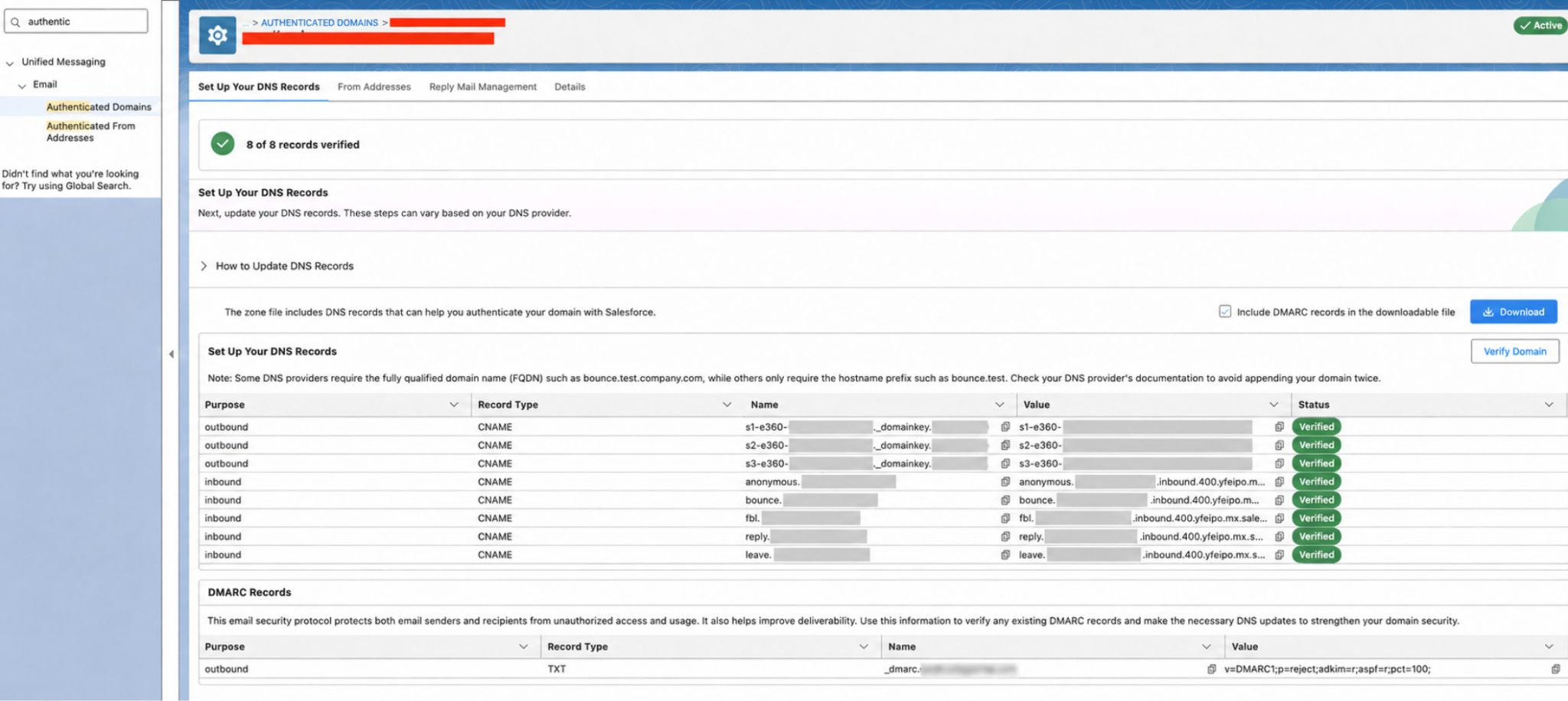
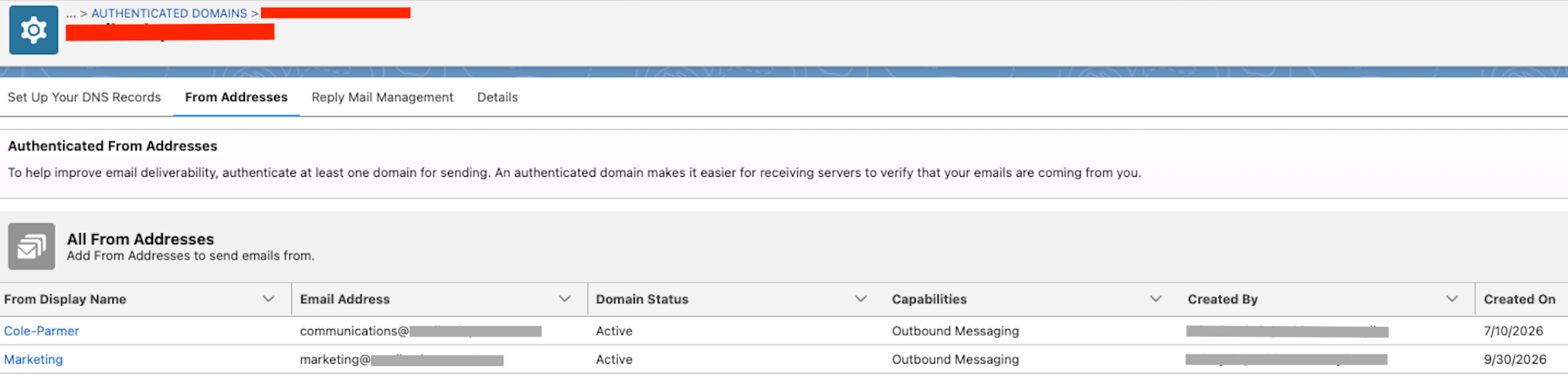
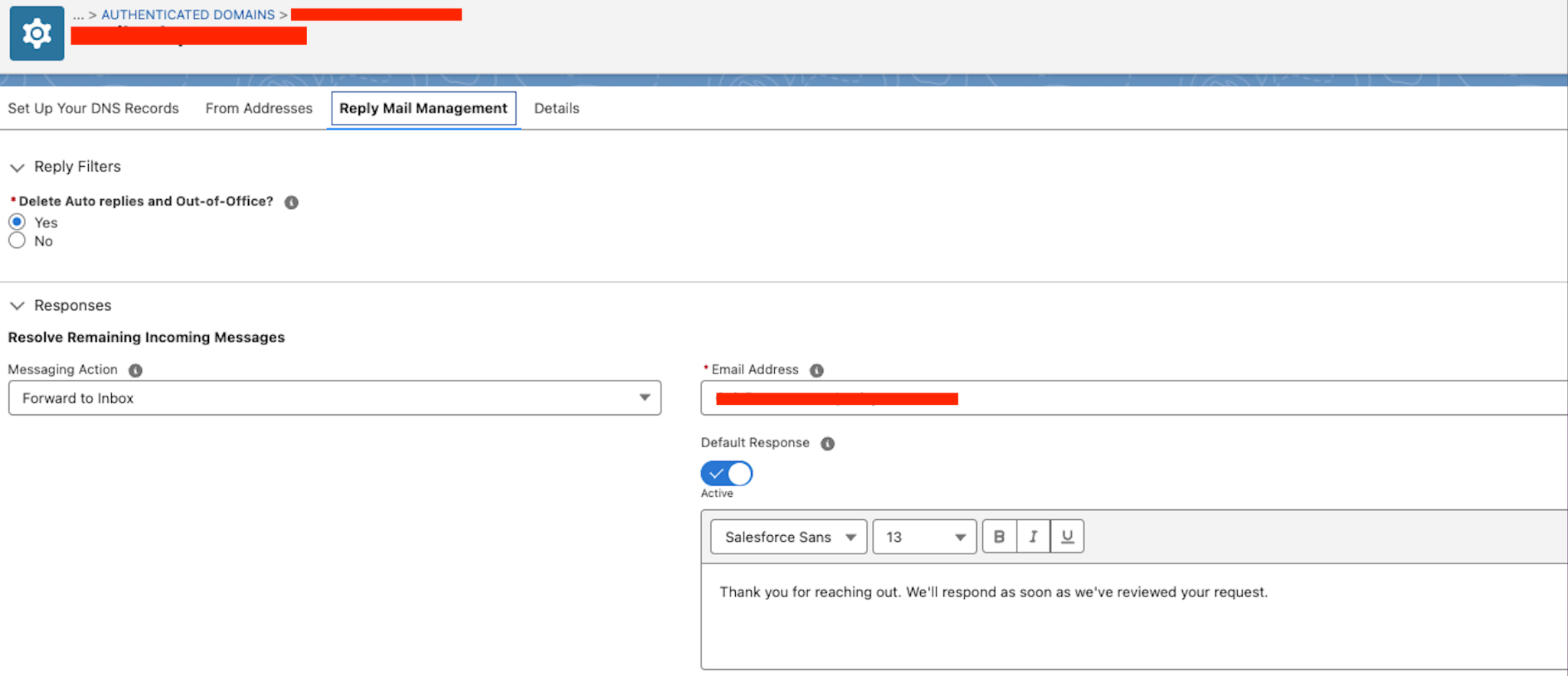
Keep your existing Pardot hostnames working as long as pages and links still depend on them. Before changing any DNS records, check what they’re used for. You may also want to use new subdomains to make running both systems easier.
Ask your deliverability team if you need to warm up the new sending setup. Agree on the pilot sending volume and monitor authentication, delivery, bounces, and complaints.
Why does this matter? Using the same brand domain doesn’t guarantee that emails will behave the same way or reach inboxes as before.
Step 3. Review your Pardot assets
At this stage, you need to pick a live campaign and follow the customer journey from start to finish. For example, a webinar campaign may include:
- Registration
- Confirmation
- Reminders
- Attendance updates
- Follow-up emails
- Sales handoff
Record the assets and automation used at each stage.
Next, make a list of everything your campaigns rely on:
- Automation: Engagement Studio programs, automation rules, completion actions
- Audiences: Lists
- Email content: Emails, templates, dynamic content, files
- Forms and pages: Forms, form handlers, landing pages
- Technical setup: Domains and integrations
- Reporting: Salesforce campaigns and reports used to monitor results
For each asset, you have to decide whether to reuse, adapt, rebuild, or retire it. It’s better to assign an owner to share responsibilities.
Step 4. Rebuild campaign automation
In Pardot, Engagement Studio programs used recipient and suppression lists to guide prospects through a journey. Actions, triggers, rules, and wait periods defined what would be next. Email interactions and prospect data decided which path each person followed.
In the setup being migrated, these programs also required a lot of manual work to add and remove prospect tags. This was part of the daily process, so don’t forget to document it.
Before rebuilding a journey in MC Next, check:
- What each tag means.
- When it’s added or removed.
- Which lists or rules depend on it.
Use this mapping to see where the new flow can update tags automatically and where you still need a manual step.
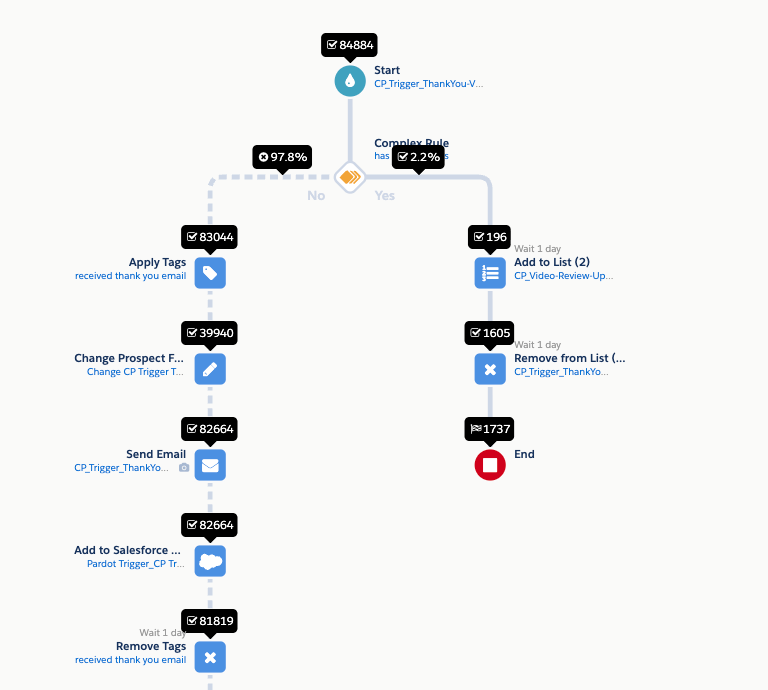
In MC Next, a campaign connects to a flow that controls what follows. The flow can send one message or run a longer sequence. Use Salesforce Flow to plan how your Engagement Studio program will work in MC Next.
Also, decide how your new campaigns will fit into your Salesforce campaign hierarchy and reports.
This helps you rebuild your existing customer journeys without losing the logic behind them. So your new campaigns fit into your Salesforce reporting structure and you can track performance and compare results.
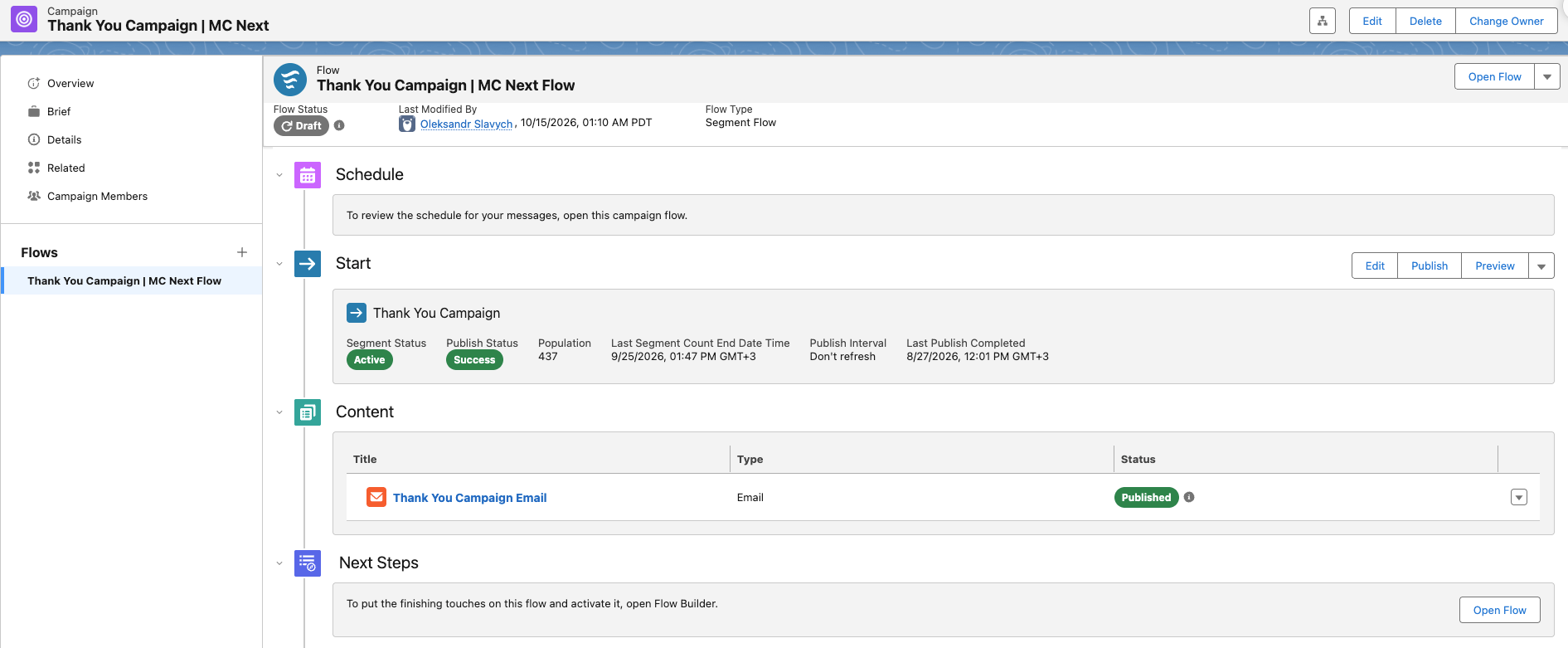
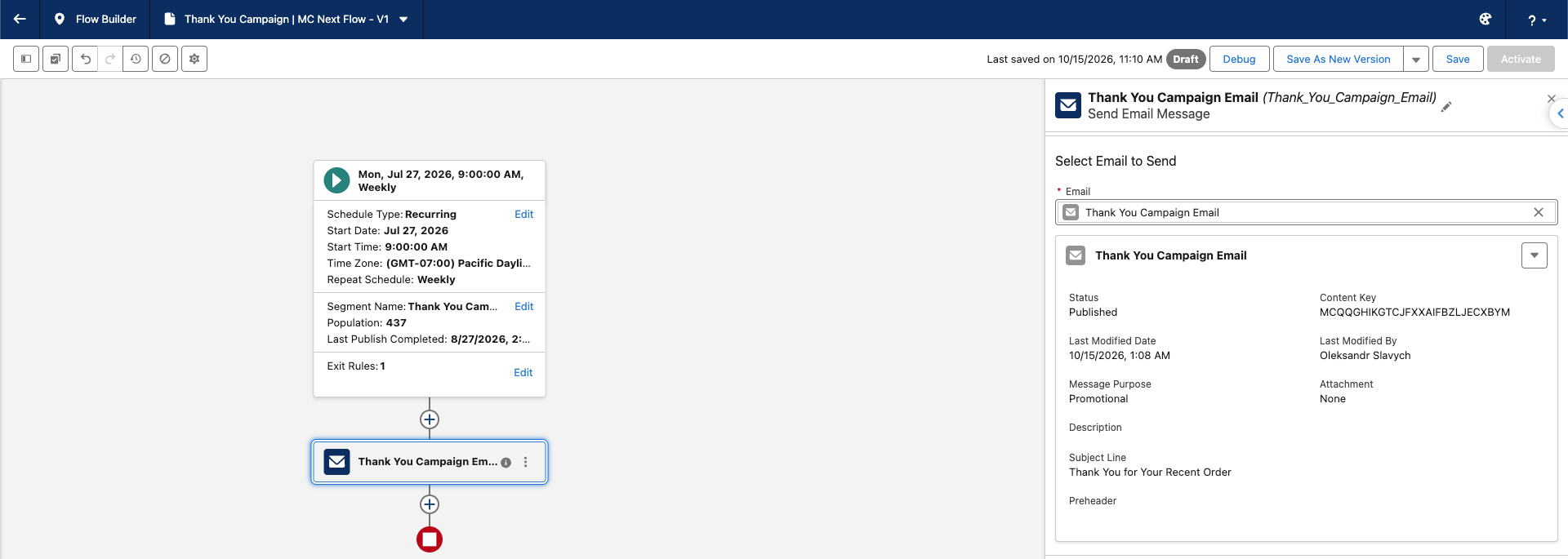
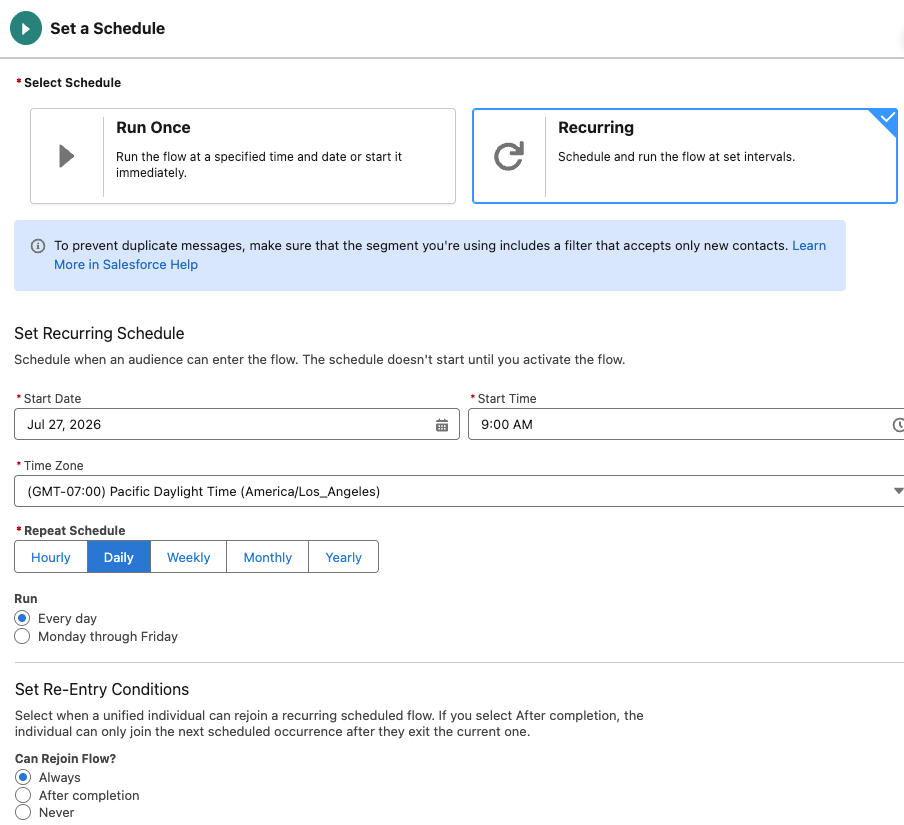
Before building the flow, answer these questions:
- Who can enter the flow, and who should leave out?
- What starts the sequence, and when should the first activity happen?
- What waits, decisions, and follow-up actions do you need?
- What happens if someone unsubscribes, converts, or no longer qualifies?
- Can someone enter the flow again? How will you avoid sending duplicate messages?
Next, you have to check which flow types and actions are available in your Salesforce org. Also, review automation outside Engagement Studio. Completion actions and automation rules may update fields, add campaign members, or notify sales. Make sure you include these actions in your new setup.
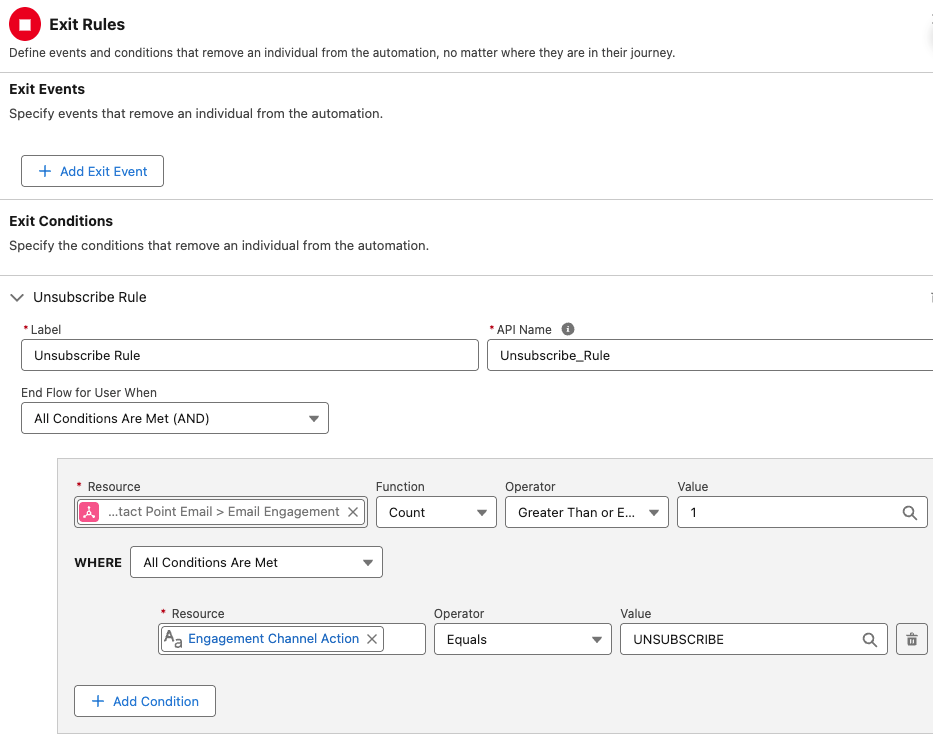
Decide what to do with people already in an active program. You can let them finish in Pardot while new participants enter MC Next.
If you move people midway, record where each person is in the journey. For example, they may have received a guide but still need a follow-up email to remind.
Why is it vital? Rebuilding the flow doesn’t tell you where each person should continue or how long they should wait before the next step.
Step 5. Prepare emails and templates
Start with three examples:
- A simple newsletter
- A personalized nurture email
- A complex template your team still uses
Test whether you can reuse them through the Account Engagement content experience and Salesforce CMS. Then decide which templates need rebuilding.
Why test first? It helps you find problems early and avoid rebuilding templates that still work.
Next, check personalization before sending. Account Engagement merge fields may appear in the MC Next editor, but they don’t work in emails sent through MC Next. Replace them with supported fields and check that each one returns the right value.
Why does this matter? Otherwise, emails may show missing or incorrect information, such as a recipient’s name.
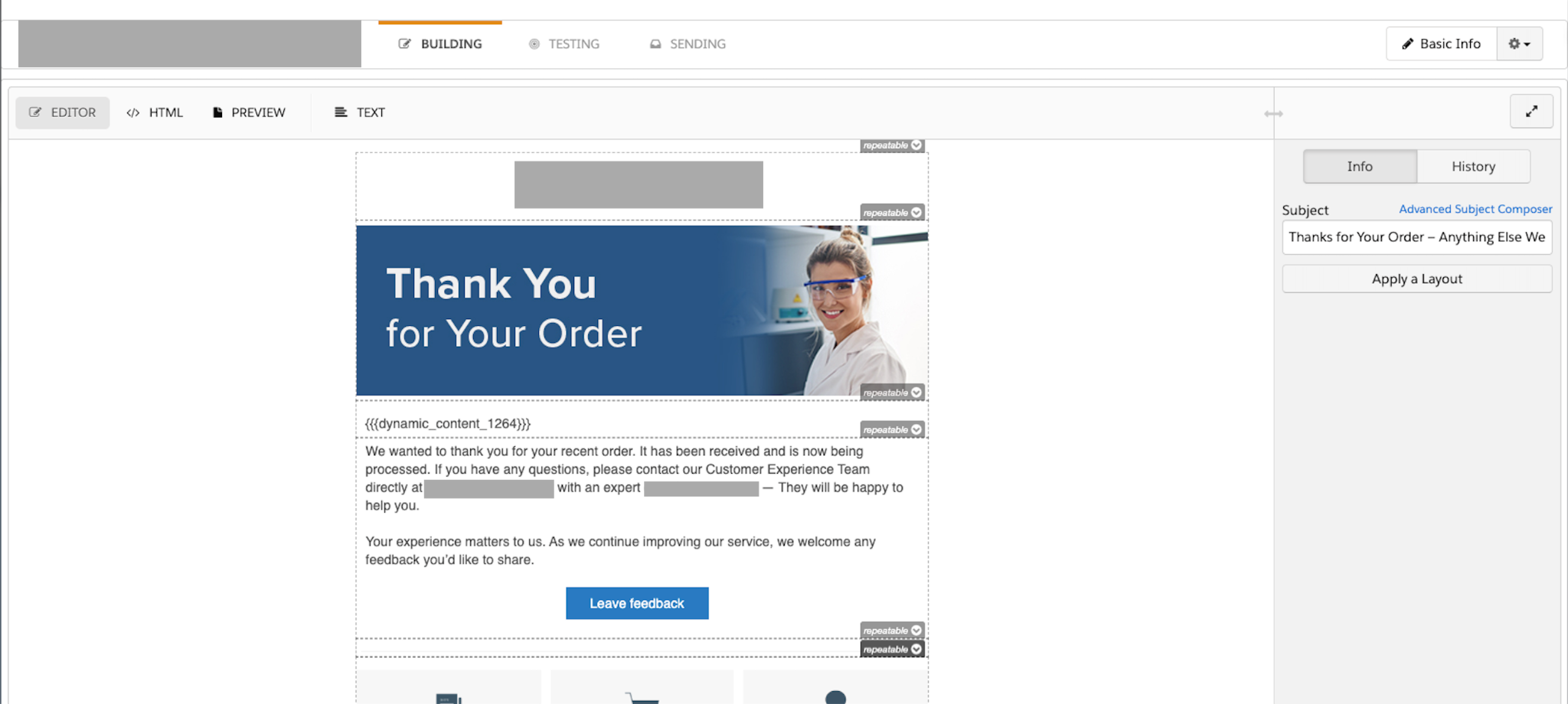
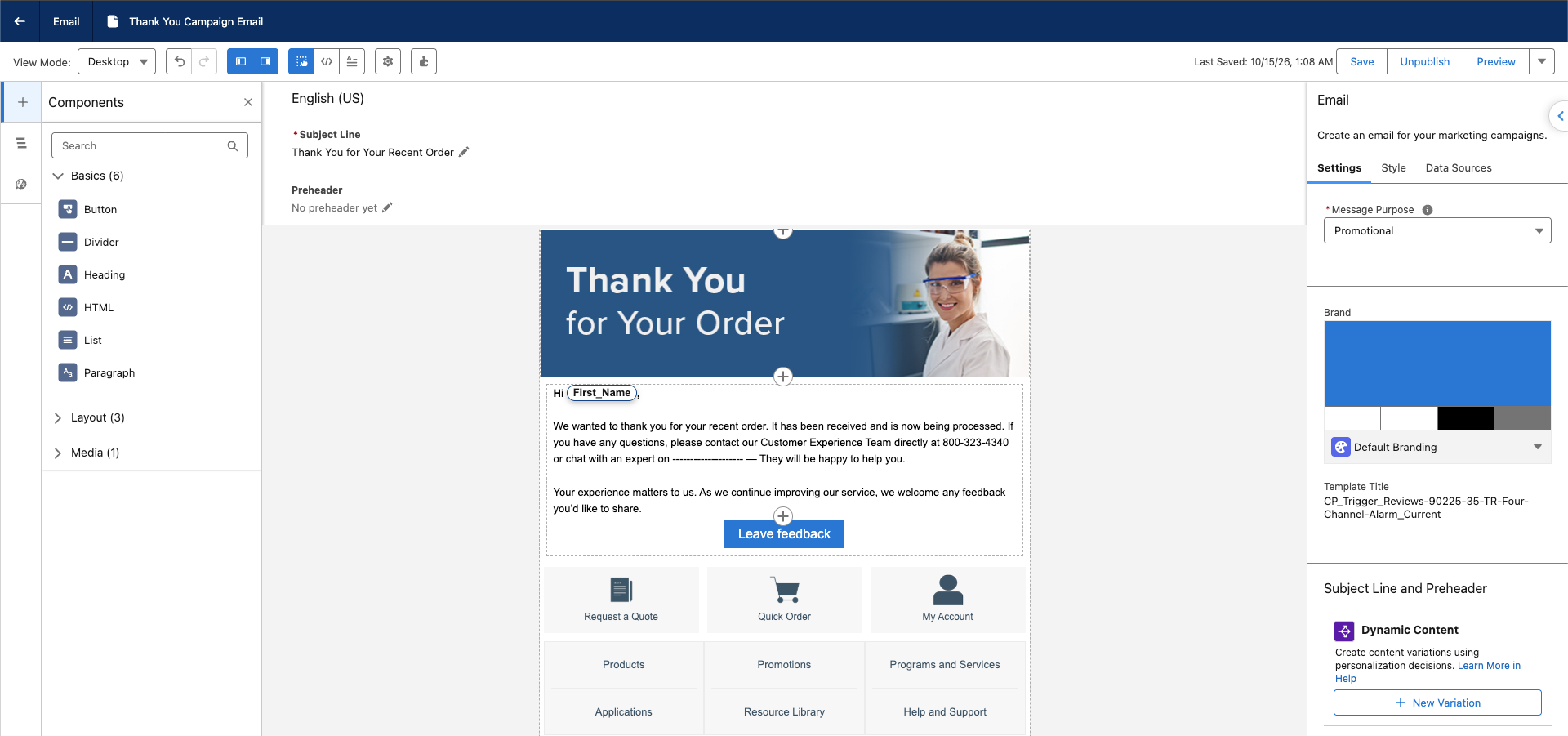
Check every part of the email before sending:
- Subject line and preheader
- Email body and links
- Sender name, from address, and reply-to address
- Footer and unsubscribe link
Then it’s necessary to preview personalization with different records. One should be with complete data. One should contain missing values. And one should receive different content.
It’s a must to check the fallback text in each case to make sure the email is meaningful when data is missing. This is a good way to catch errors before they reach your audience.
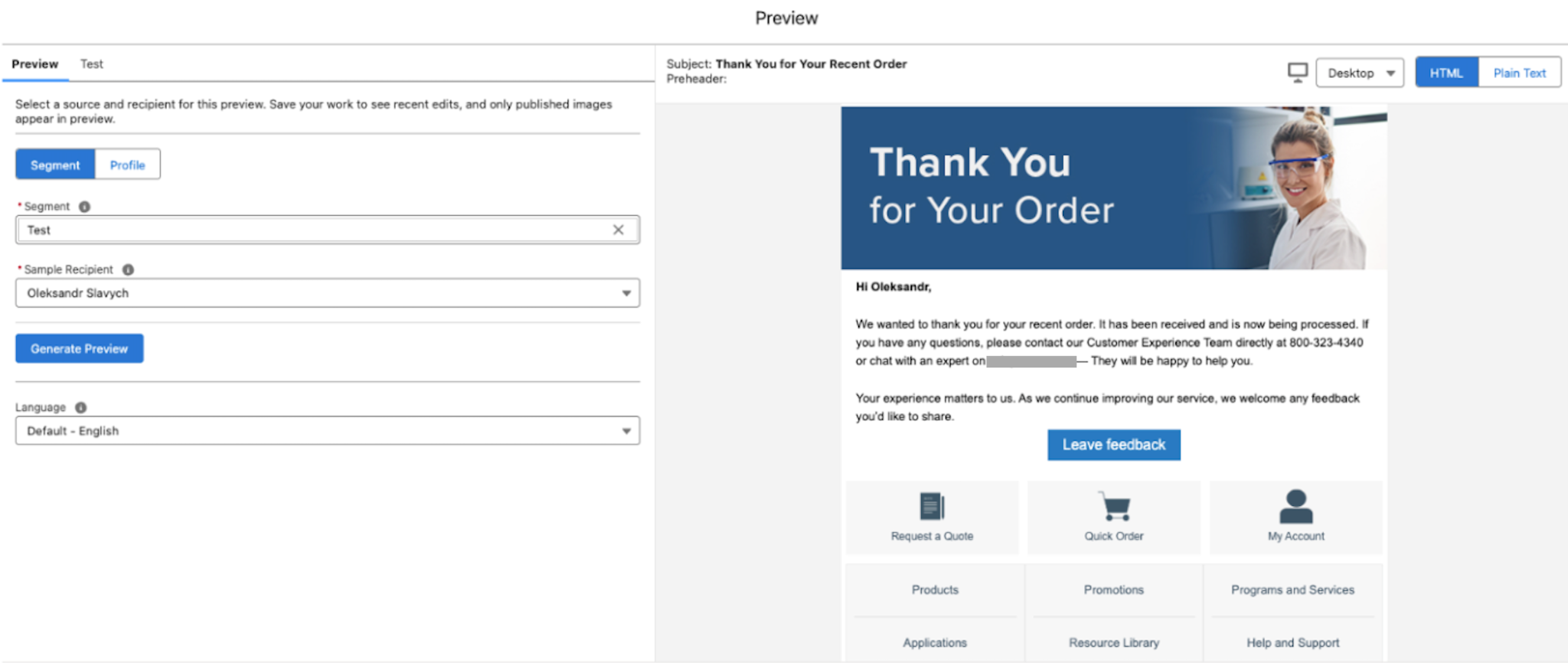
Send test emails to the email clients your audience uses. Then, check how they look on desktop and mobile. You should also make sure images display correctly, and have the right size and alternative text. Plus, the plain-text version has to work where available.
Furthermore, you should open every main link to check out whether it leads to the right page. And its tracking parameters are passed correctly. So you’ll catch display issues and broken links before sending emails to real customers.
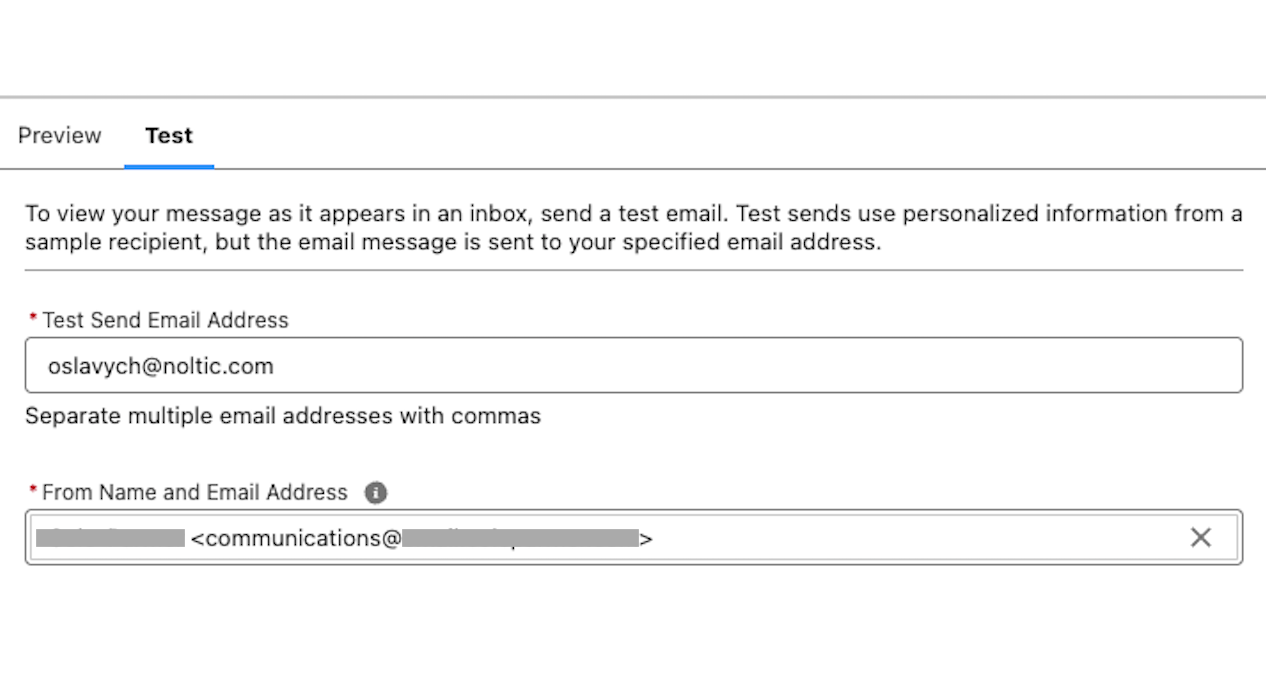
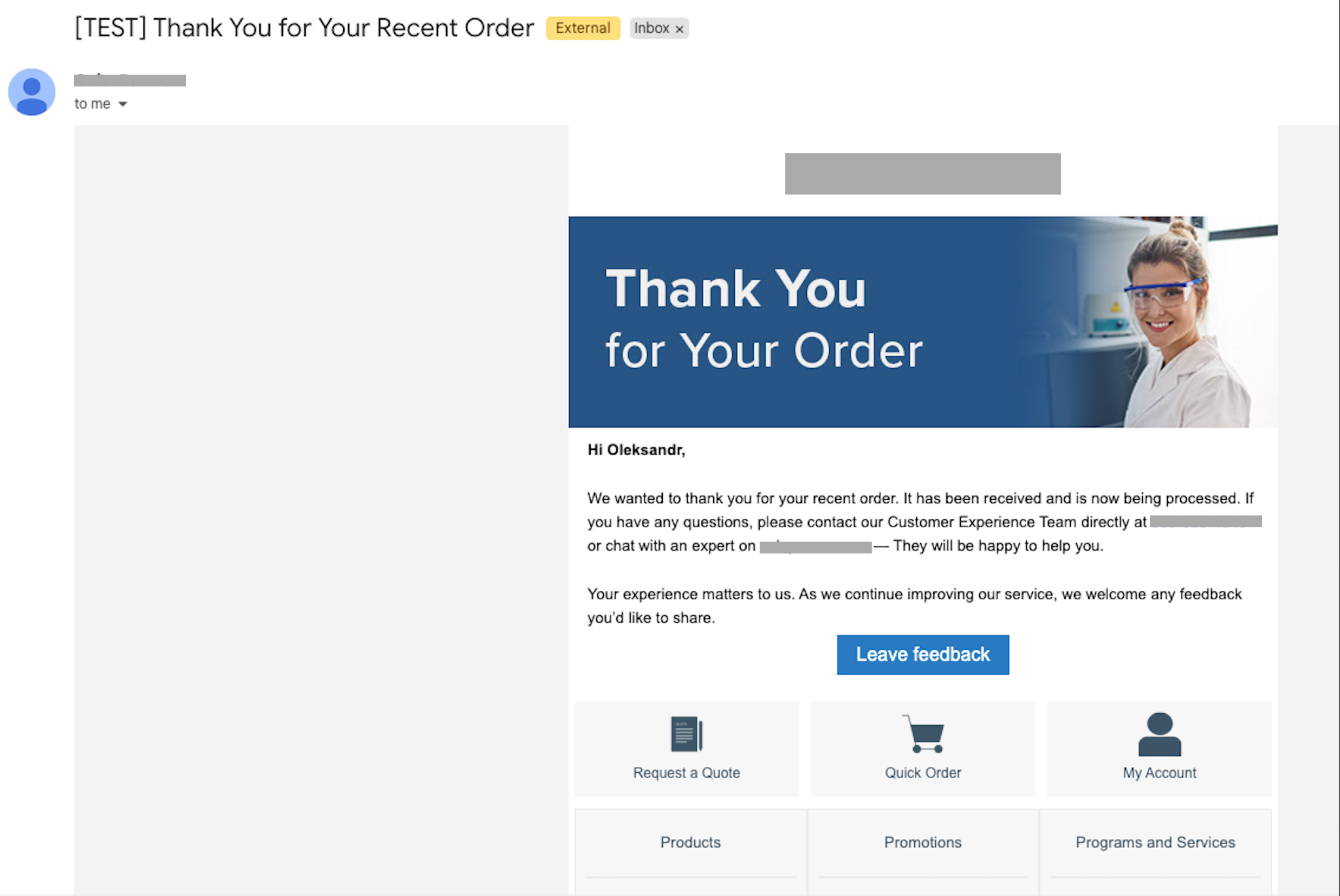
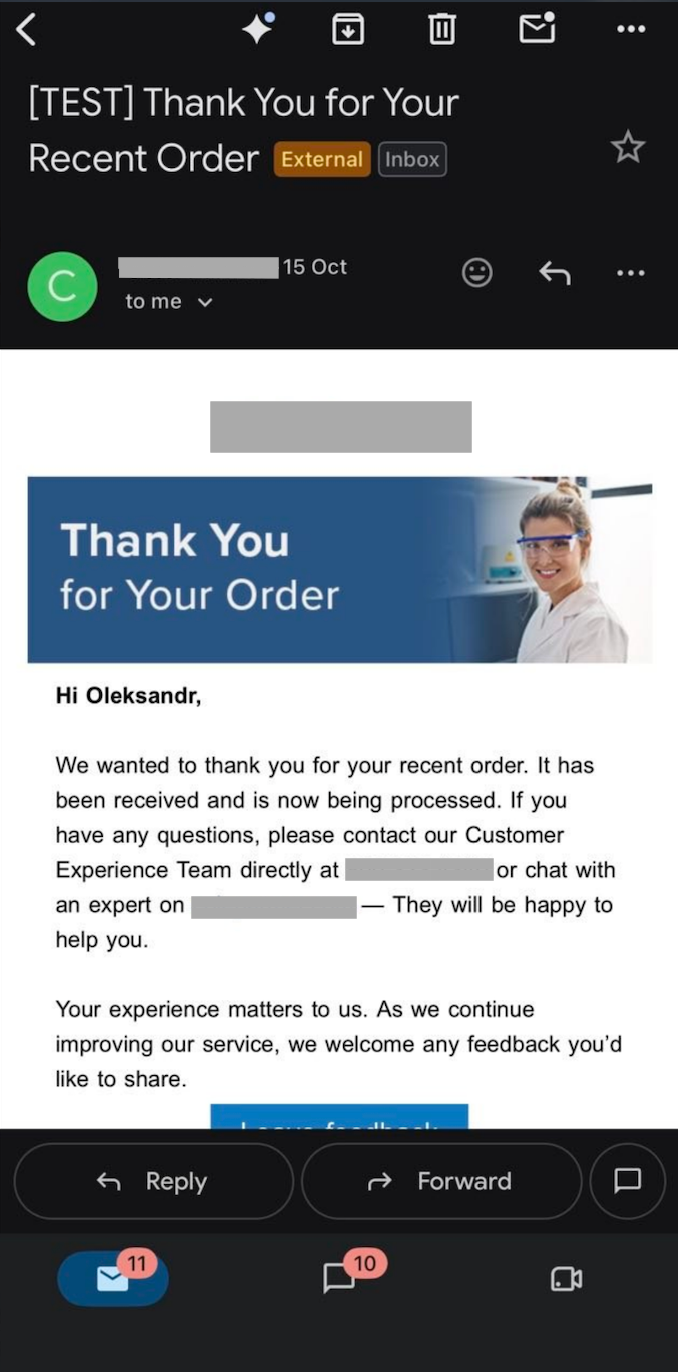
Keep the Pardot version of each email during the pilot. Salesforce says emails created in MC Next can’t be moved back to Account Engagement. If you need to return to your old sending process, you’ll still have the original email ready to use.
Step 6. Organize content in Salesforce CMS
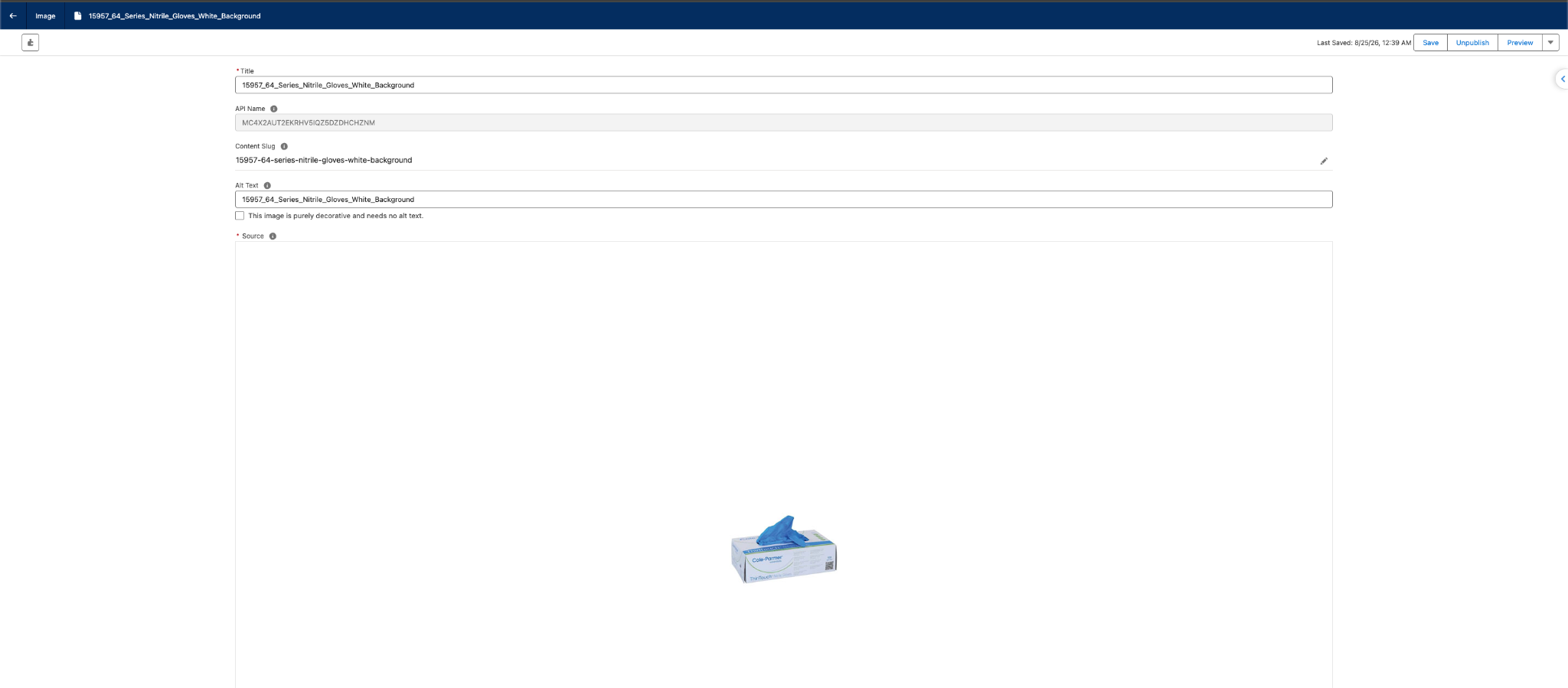
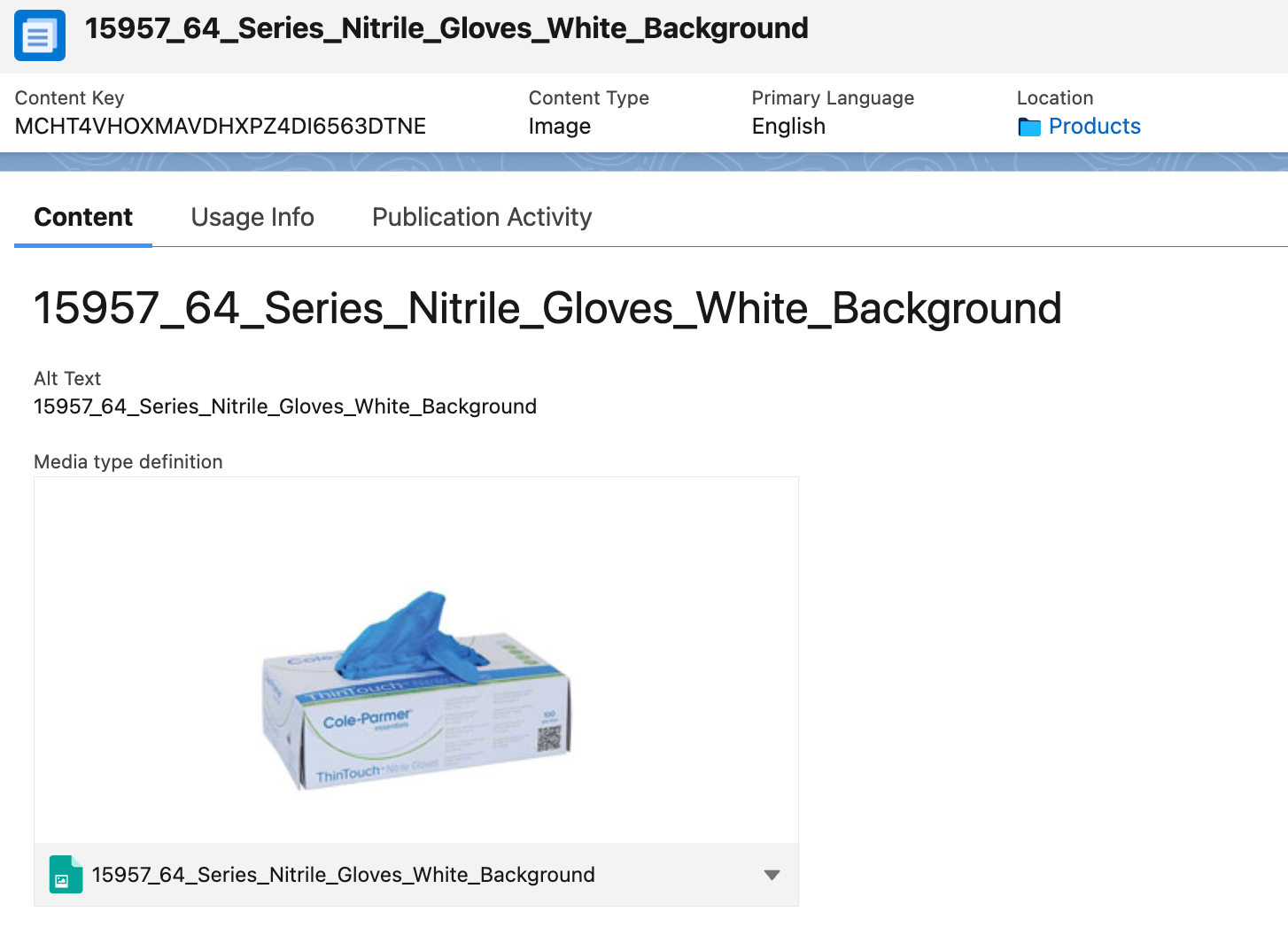
You don’t have to rebuild all your content from scratch. Salesforce lets you copy Account Engagement emails, images, files, forms, and landing pages into CMS. Workspace sharing also makes this content available across teams.
Before you start, check the process and setup requirements for each asset type in your org. This way, you can reuse what already works and focus on adapting the content that needs changes.
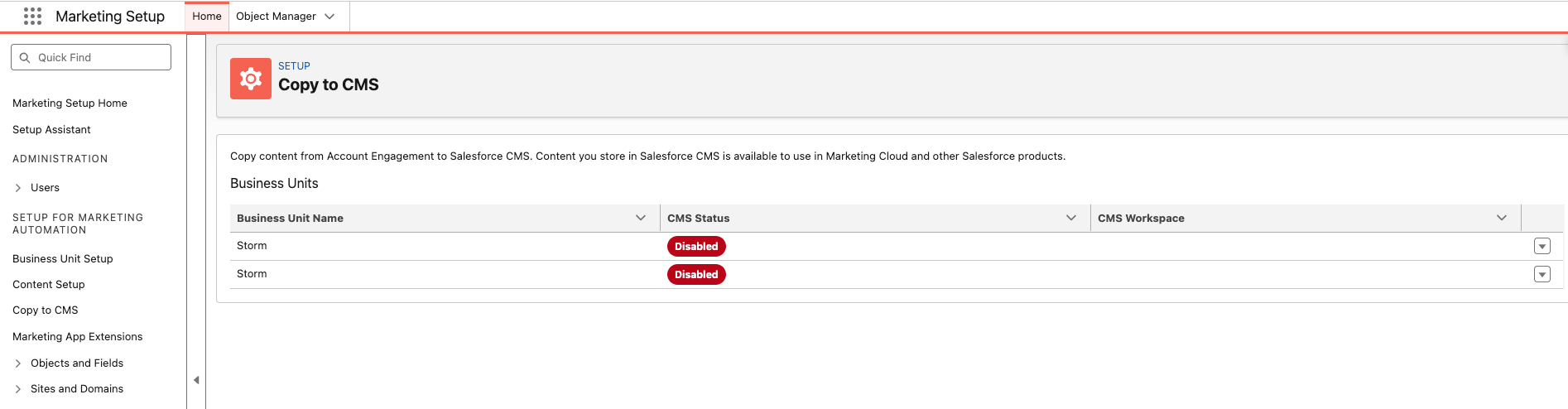
Before copying content in bulk, agree on asset names, owners, access, and who can publish it. Make approved versions easy to find so your team doesn’t use outdated content by mistake.
Also, prepare reusable brand elements for emails and pages. This helps your team keep the same look and feel across all marketing materials.
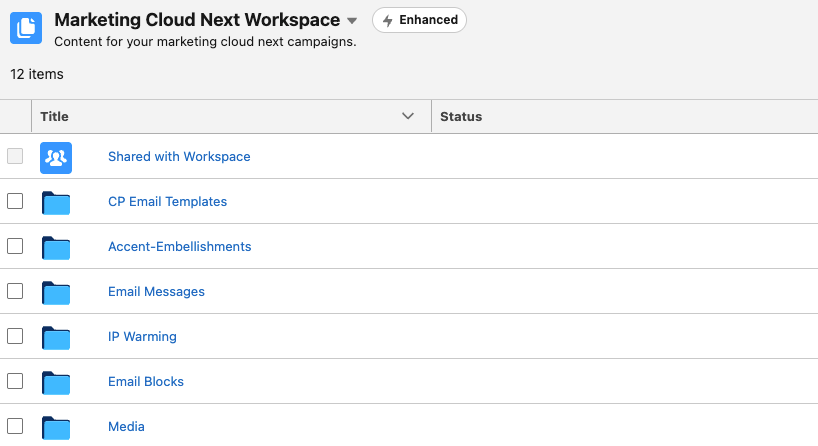
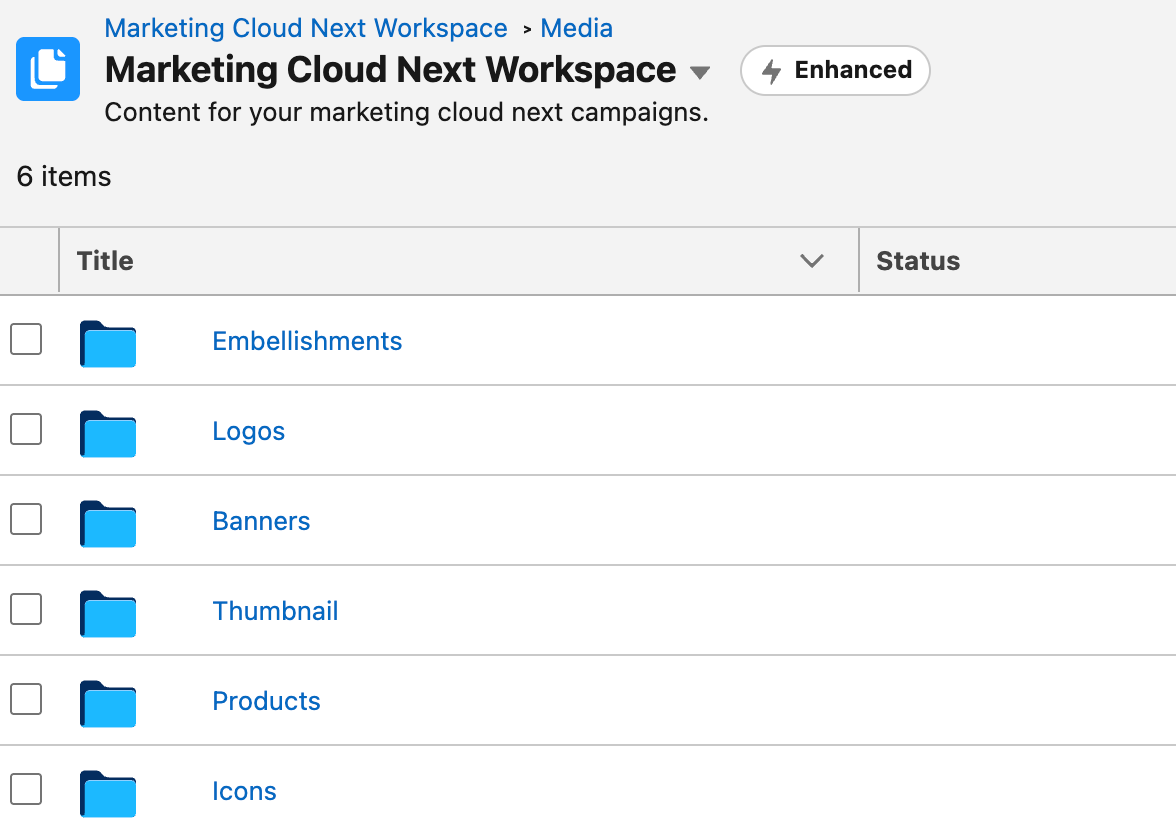
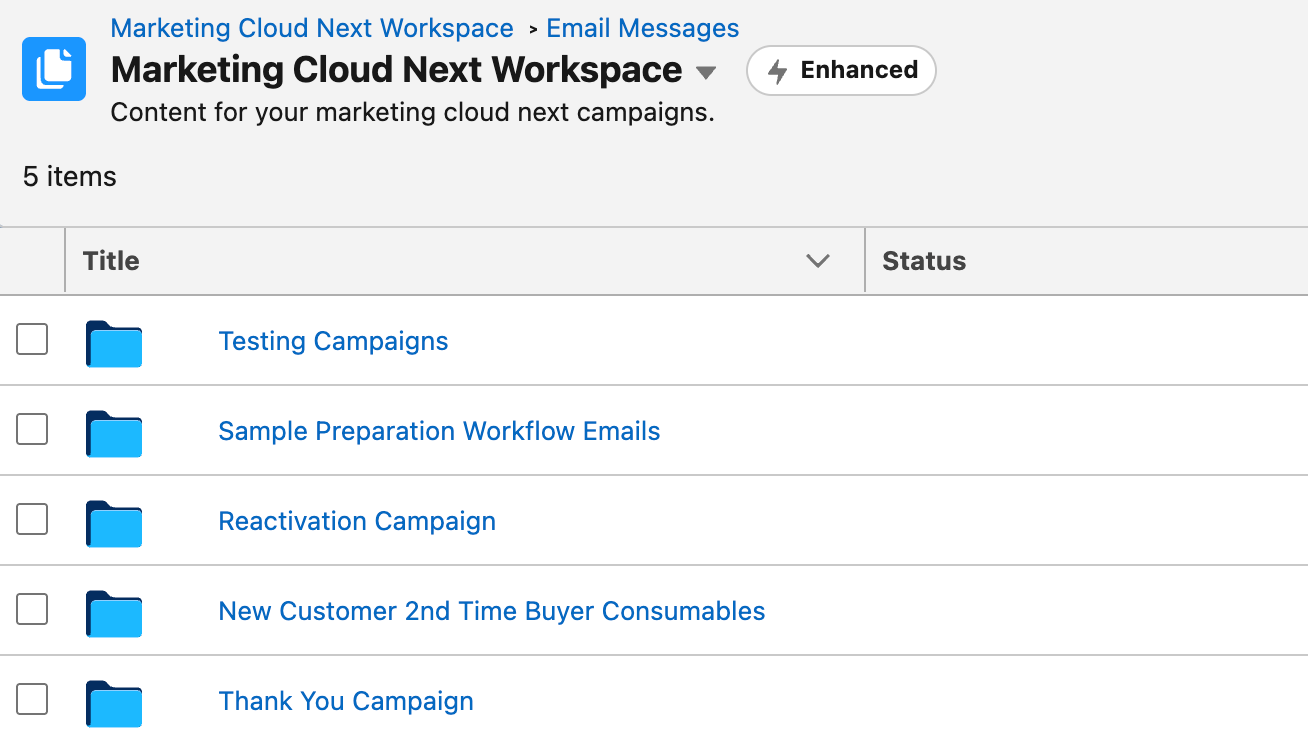
Record the old and new URLs for images and downloads. Then open each published asset in a public browser to make sure it works. Test it in the email or page that uses it, too. Just because a file appears in CMS doesn’t mean recipients can open it.
Also, check links in emails you’ve already sent. They still point to the original images and files. Keep the old hosting available or set up redirects where possible before removing those assets. This way, you won’t break links that customers may still use.
Step 7. Prepare landing pages and forms
Pardot has both Classic and Lightning landing pages. In Marketing Cloud Next, you create pages in the standard content builder, just like emails and forms. The pages are hosted on an automatically generated Experience Cloud site called Marketing Landing Pages.

When moving a Pardot landing page, check its layout, styling, and reusable elements in the new builder. MC Next lets you clone content and create landing page templates. But don’t assume these templates work like Pardot Layout Templates. Review them separately to see what you can reuse and what needs to be rebuilt.
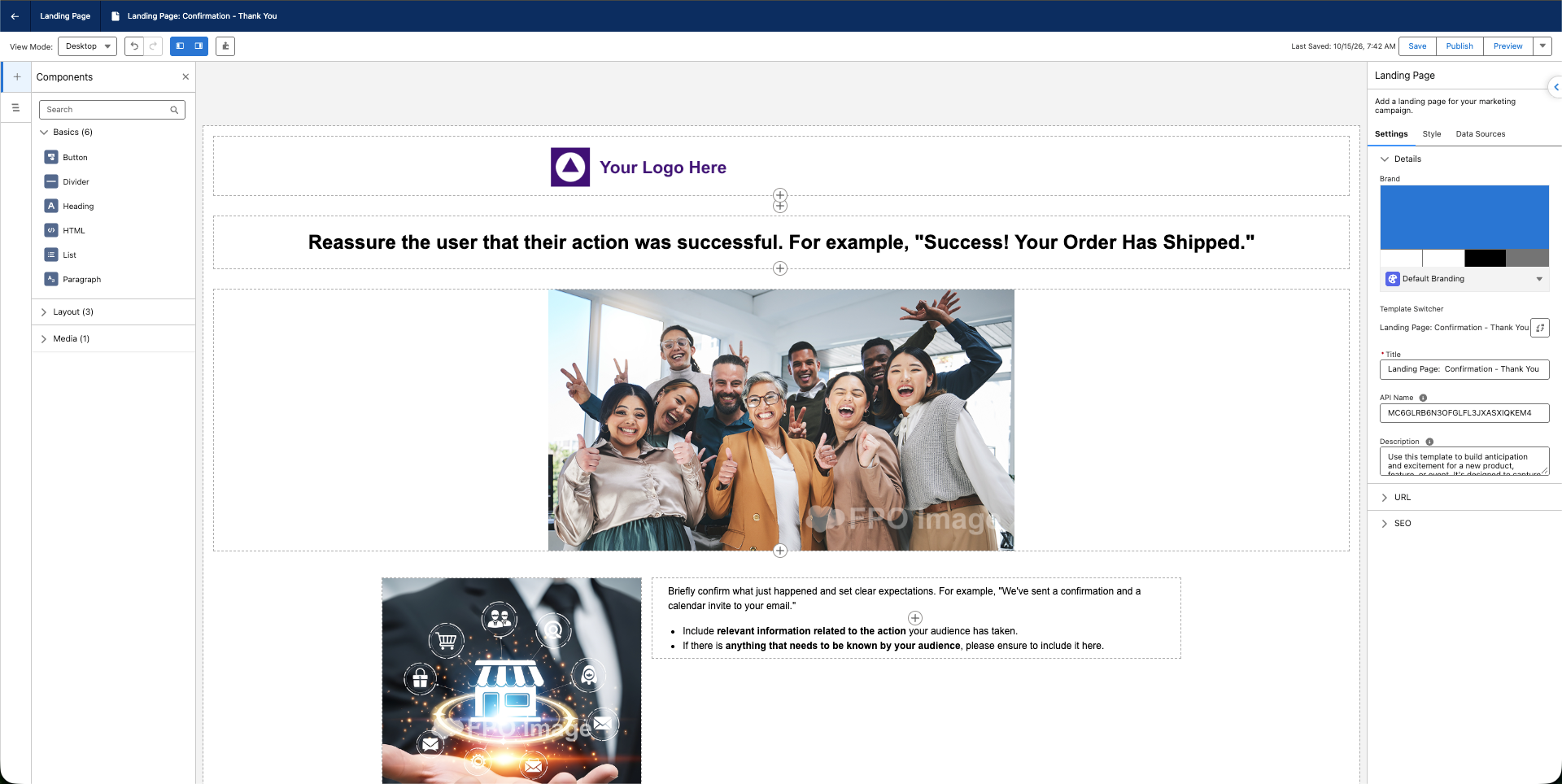
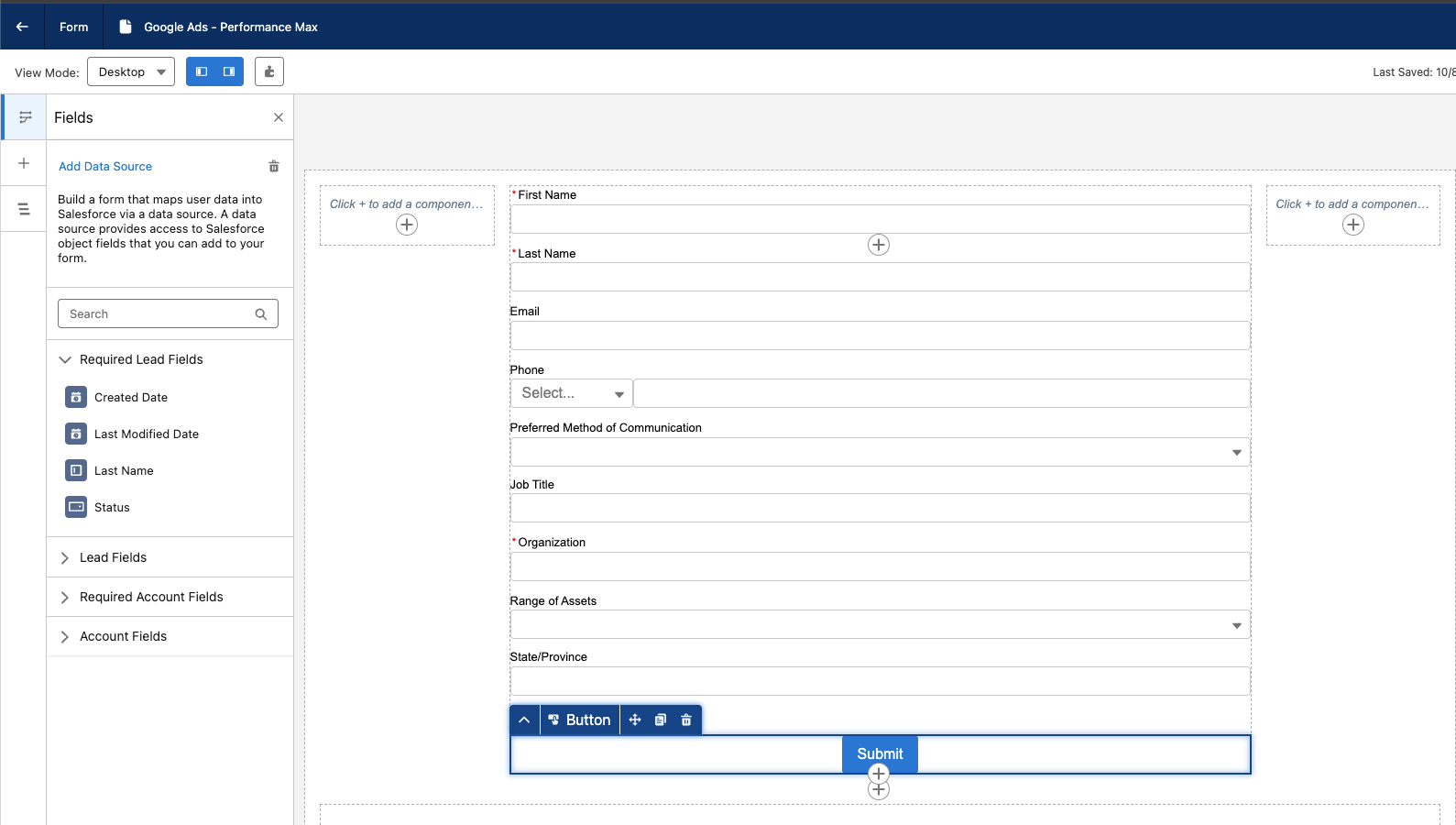
Pardot forms can be placed on Pardot landing pages or embedded on external websites through an iframe. Form handlers let you collect submissions from forms built outside Pardot.
MC Next also supports forms on its own landing pages and external websites. You manage form content in enhanced CMS. Depending on your needs, you can embed a native form or connect an existing external form to keep the current website experience.
For existing external forms, MC Next supports form handlers integrated through the Connect API. Salesforce recommends using a server-side process to send submissions to the handler, which then triggers a flow. Plan and test this integration separately from your Pardot form handler.

Step 8. Build and check your audience segments
In Pardot, audiences were built using prospect lists. Static lists were updated through imports, manual changes, or automation. Dynamic lists automatically added or removed prospects based on defined criteria, such as prospect fields, tags, and engagement activity.
Recipient lists determined who could enter an Engagement Studio program, while suppression lists excluded prospects who should not participate.
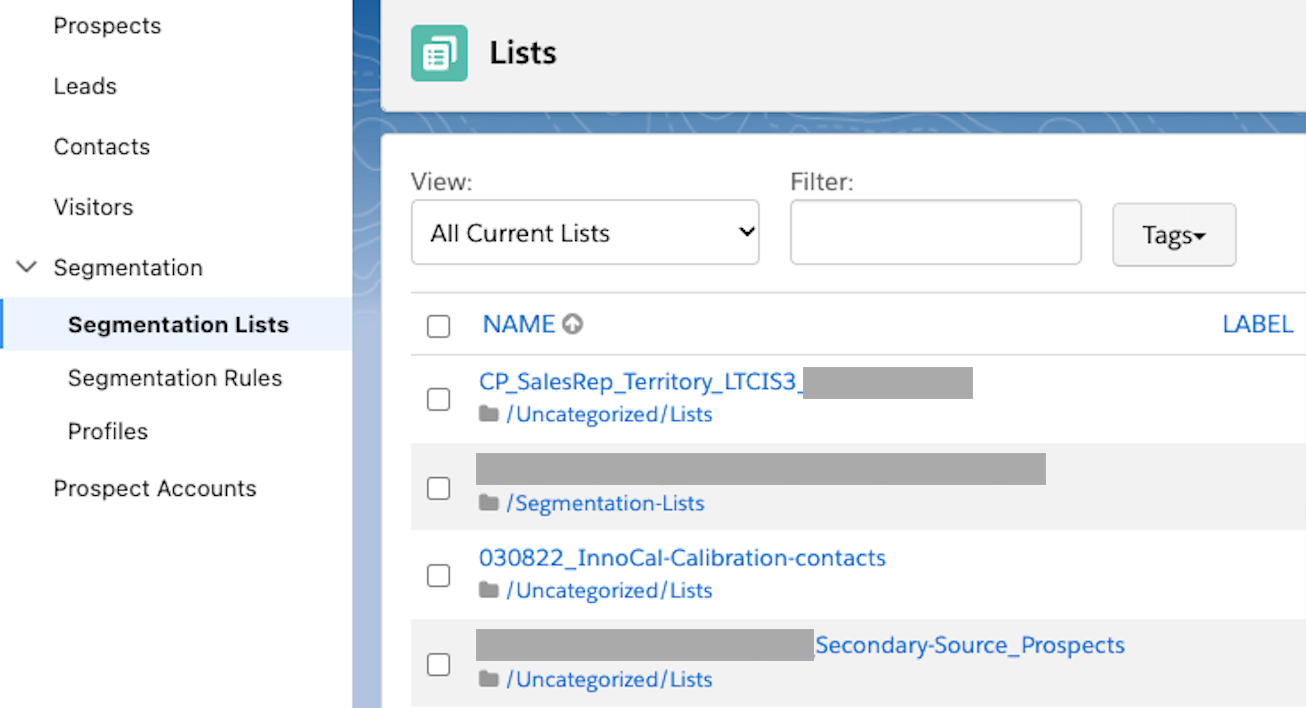
When moving to MC Next, use your existing list rules and exclusions as the starting point for segment design.
In MC Next, segments built on Unified Individual use unified customer profiles. You can still filter by Lead and Contact data mapped and linked in Data 360. You can also use related data from objects such as accounts, opportunities, and order lines. This gives you more flexibility to combine profile details, business relationships, and activity when defining an audience.
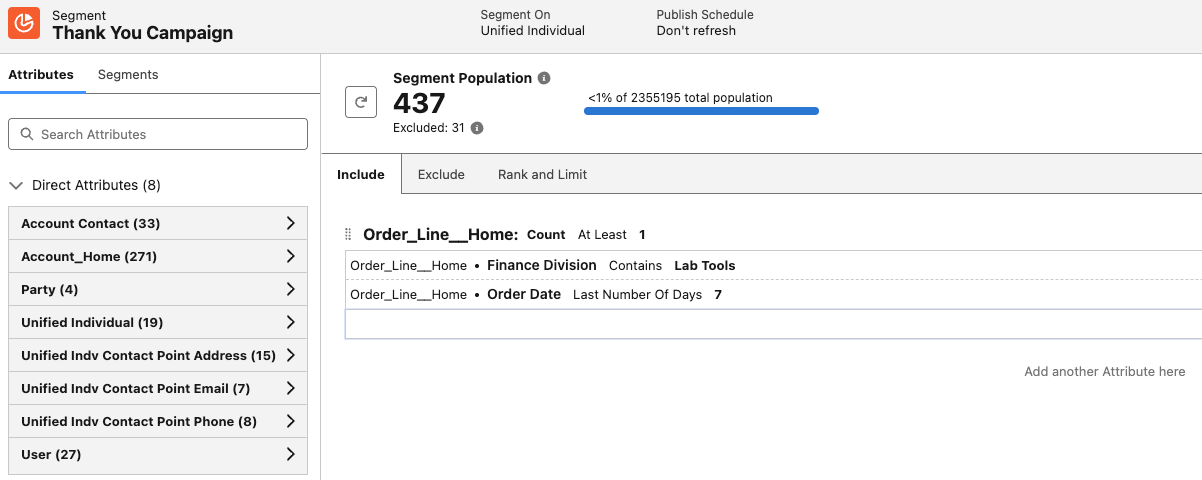
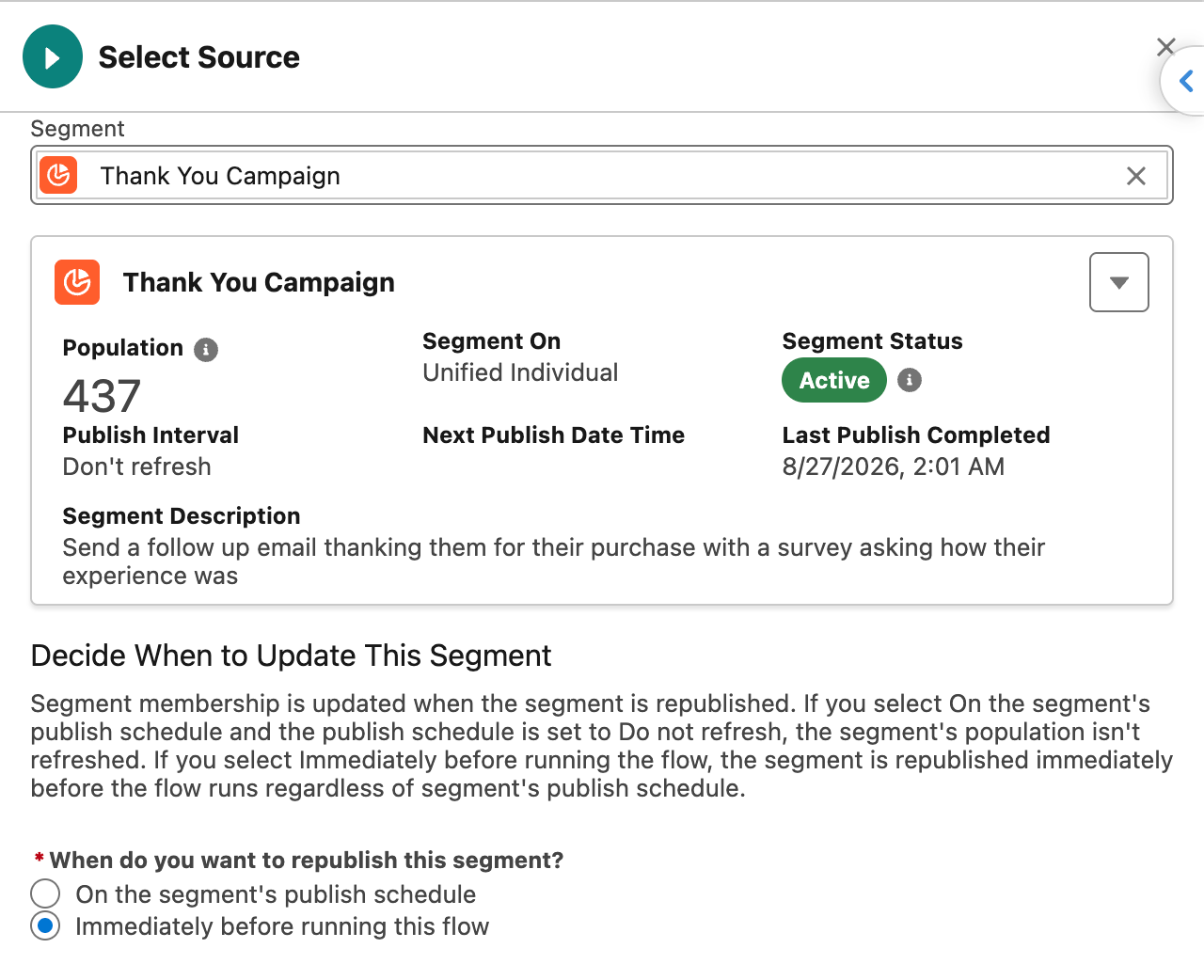
Start with a specific business audience. For example, the segment shown here targets Unified Individuals with at least one related Order Line record that meets both conditions:
- Finance Division contains “Lab Tools.”
- Order Date falls within the last seven days.
The “Count At Least 1” condition applies to related order-line records. A person qualifies if at least one record matches both filters.
This creates an audience of recent buyers associated with the Lab Tools division. You could use it for a purchase follow-up or thank-you campaign.
For segment-based campaigns, the segment defines who can enter the MC Next flow. Republish changes to segment rules before using the updated audience.
Check how order-line records link to each Unified Individual and when new orders become available for segmentation. If a person has multiple leads, contacts, or email addresses, test that MC Next selects the right person and email address.
Align the segment refresh schedule with the campaign’s entry schedule. In this example, “Don’t refresh” means the audience won’t update automatically. For a recurring thank-you campaign, set an appropriate refresh schedule or republish the segment before the next run. Then verify the audience.
Test re-entry rules separately to make sure the same purchase doesn’t trigger duplicate messages.
Step 9. Check subscriptions and opt-outs
Review global opt-outs, subscription preferences, bounce-related suppression, and business exclusions separately. A person may match your audience rules but still be ineligible to receive the email.
Salesforce supports consent matching through public lists or the Opted Out field. This requires configuration and has limitations, including a one-to-one pairing with a business unit. Review the matching rules and how updates work before choosing automatic matching or a manual process.
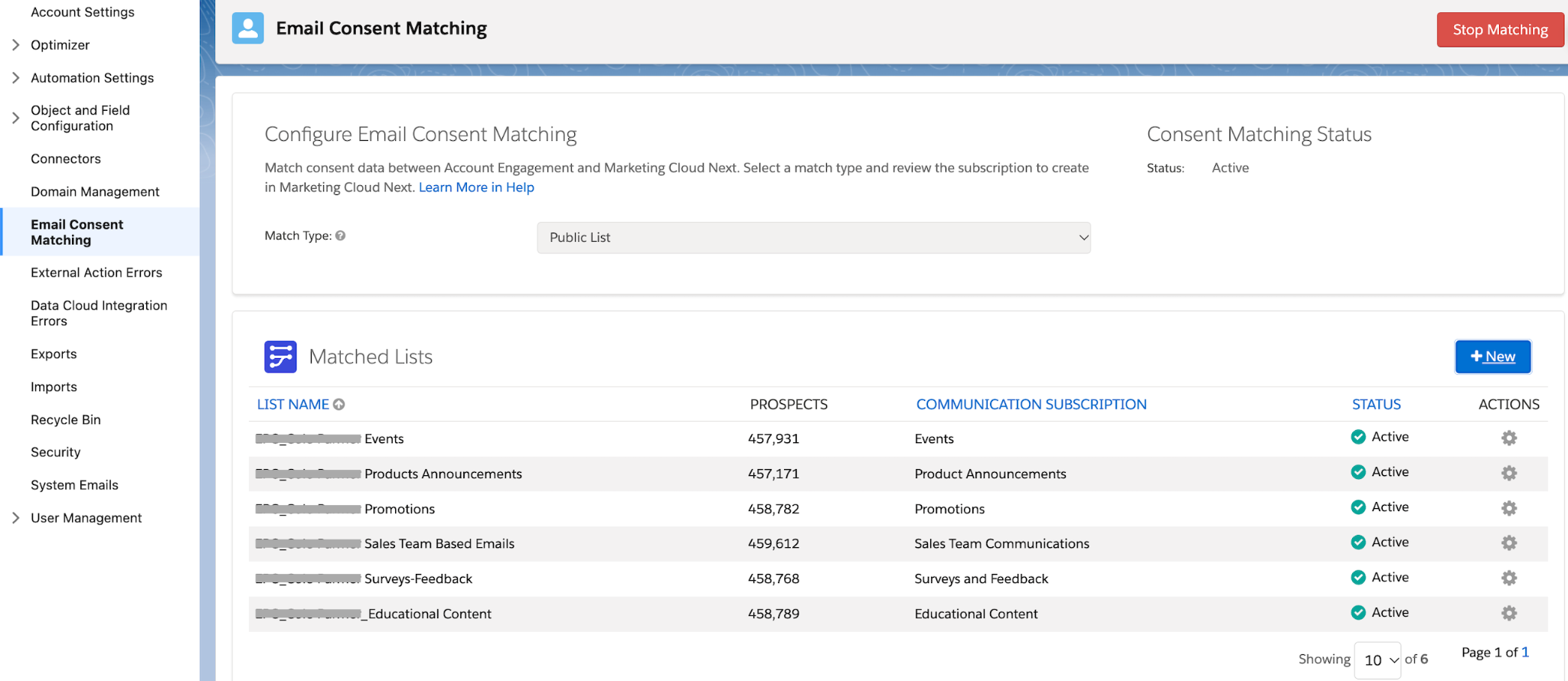
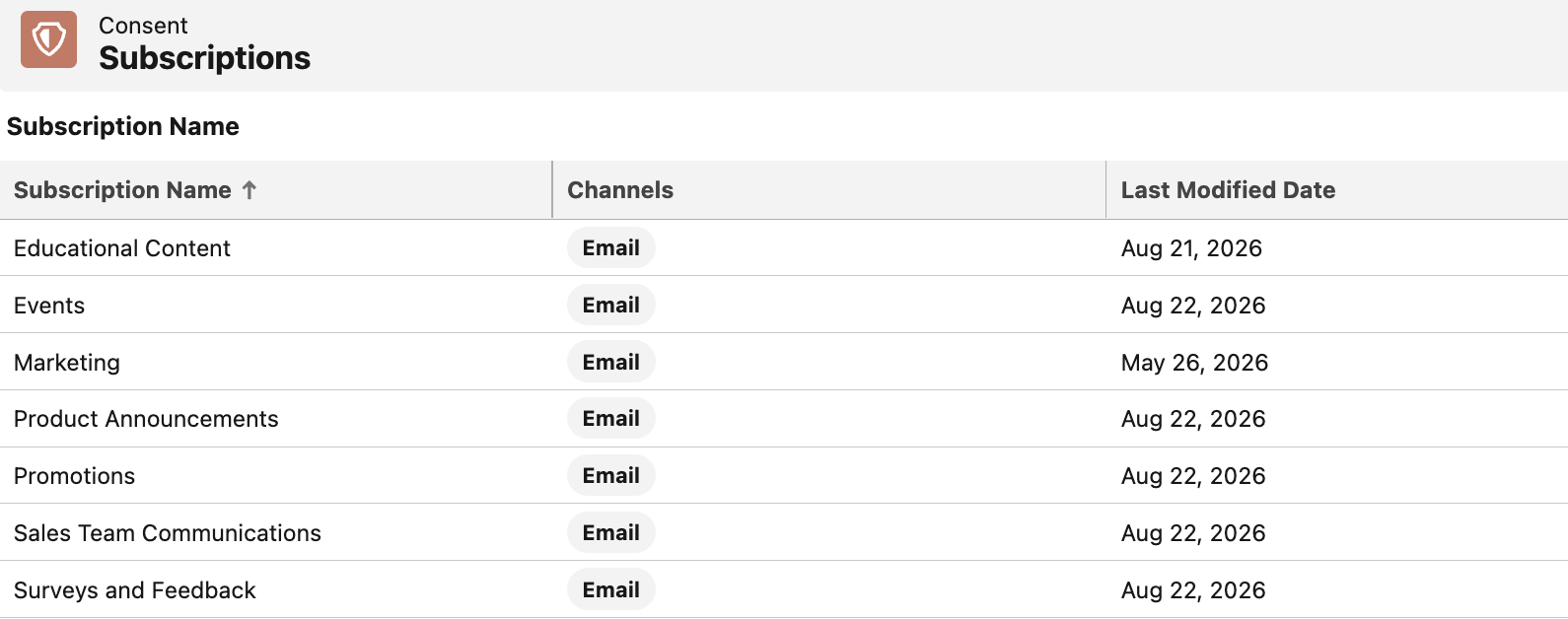
You can also transfer subscription preferences manually using CSV files. Export the relevant public preference list from Account Engagement, then prepare separate opt-in and opt-out files in the required MC Next format. Import them into the corresponding subscription, one subscription at a time.
Before assigning opt-in status, check global opt-outs and Do Not Email flags. After the import, validate a small sample to make sure the preferences are transferred correctly.
A CSV import captures preferences at a specific point in time. Reconcile any changes made after the export before launching the campaign.
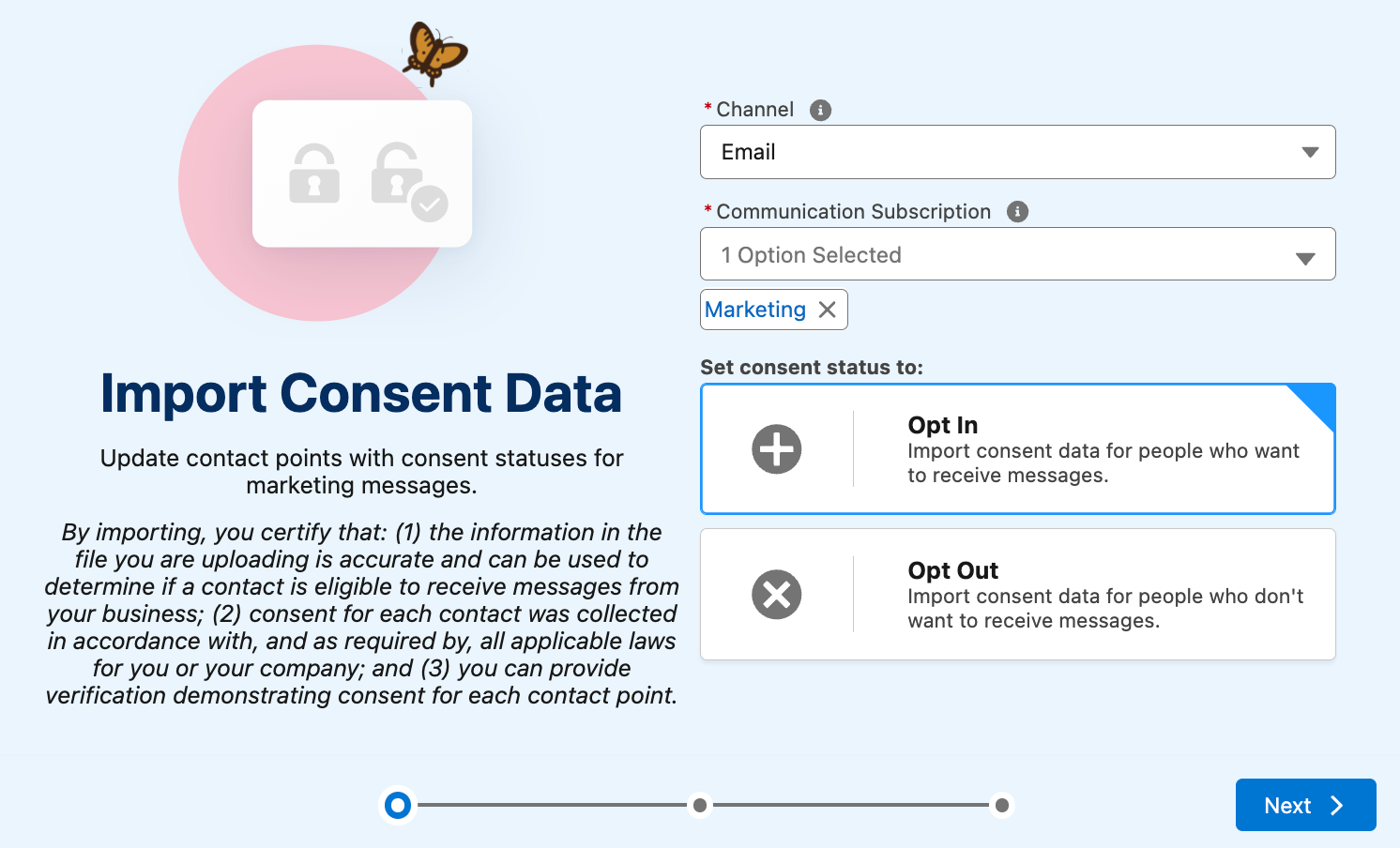
Note: Review the default Marketing subscription alongside your custom subscriptions. On a customizable preference page, use the Subscription List settings to choose which subscriptions appear, then publish the changes. Updating the page display doesn’t replace the need to migrate and validate consent records.
Step 10. Test a complete pilot campaign
Choose a small campaign that covers the main dependencies. Before launching it, define what you need to test: the audience, content, consent rules, CRM updates, and reports. You need to know what success looks like before you start testing.
Use a supported test environment to check how everything works. It’s easier to find and fix problems before they affect real customers. If you need to validate sending or domains in production, run a controlled pilot. Check the test environment’s features and sending limits first to understand what you can test there.
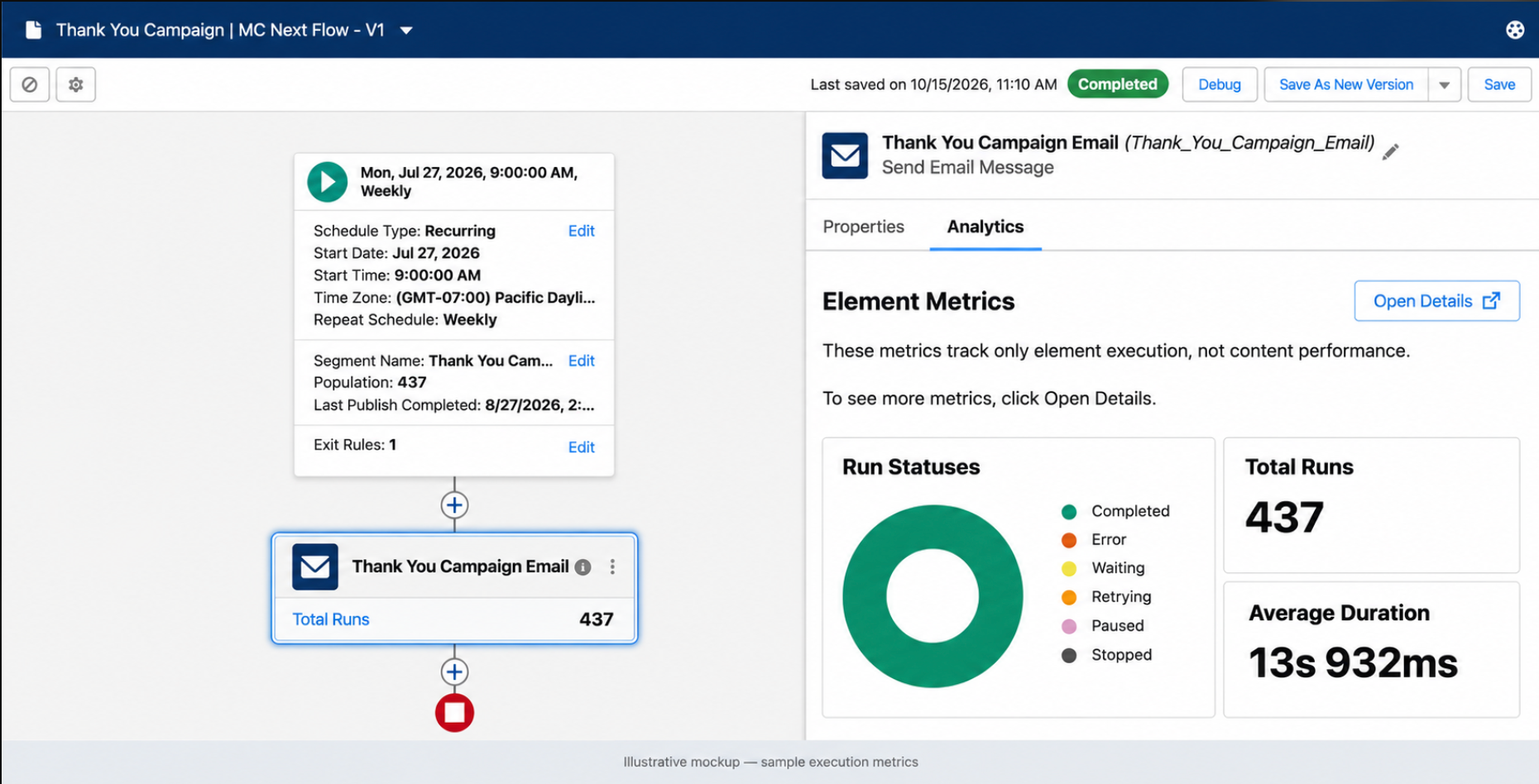
Illustrative mockup: The Thank You Flow example uses sample execution metrics. “Total Runs: 437” shows how many times elements ran in this illustration, not how many emails were delivered. Check email reports separately to confirm delivery and engagement.
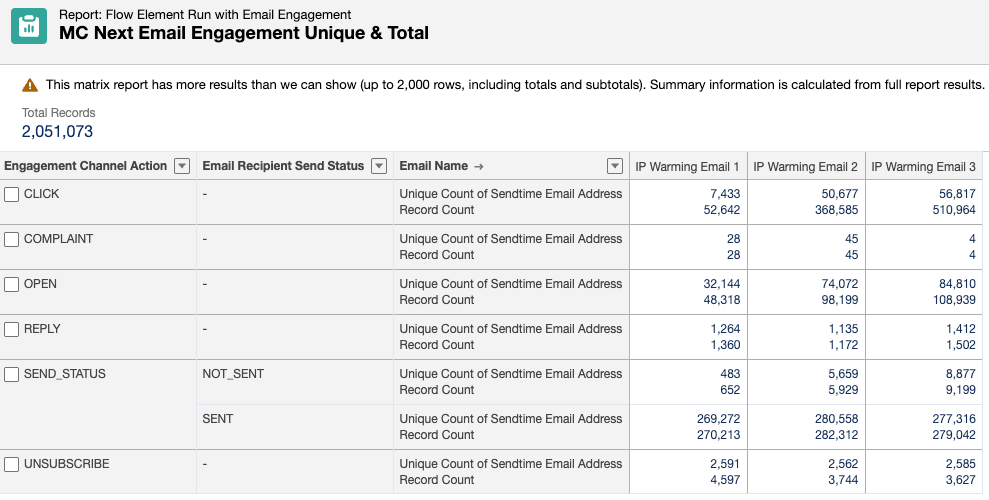
Compare the pilot results with your expectations for the audience, consent exclusions, email delivery, and CRM updates. Fix any issues before expanding the rollout.
Check that opt-outs are respected, links and forms work, and repeat entry doesn’t trigger duplicate messages. Keep the required Pardot assets available until you’ve tested and approved their replacements. Then migrate the remaining campaigns in manageable batches.
Bonus: Set up website tracking
Include your external website in the migration plan. List the pages that use Pardot tracking and decide which visitor interactions you need to track in MC Next. Set up and test the new tracking before removing the old one.
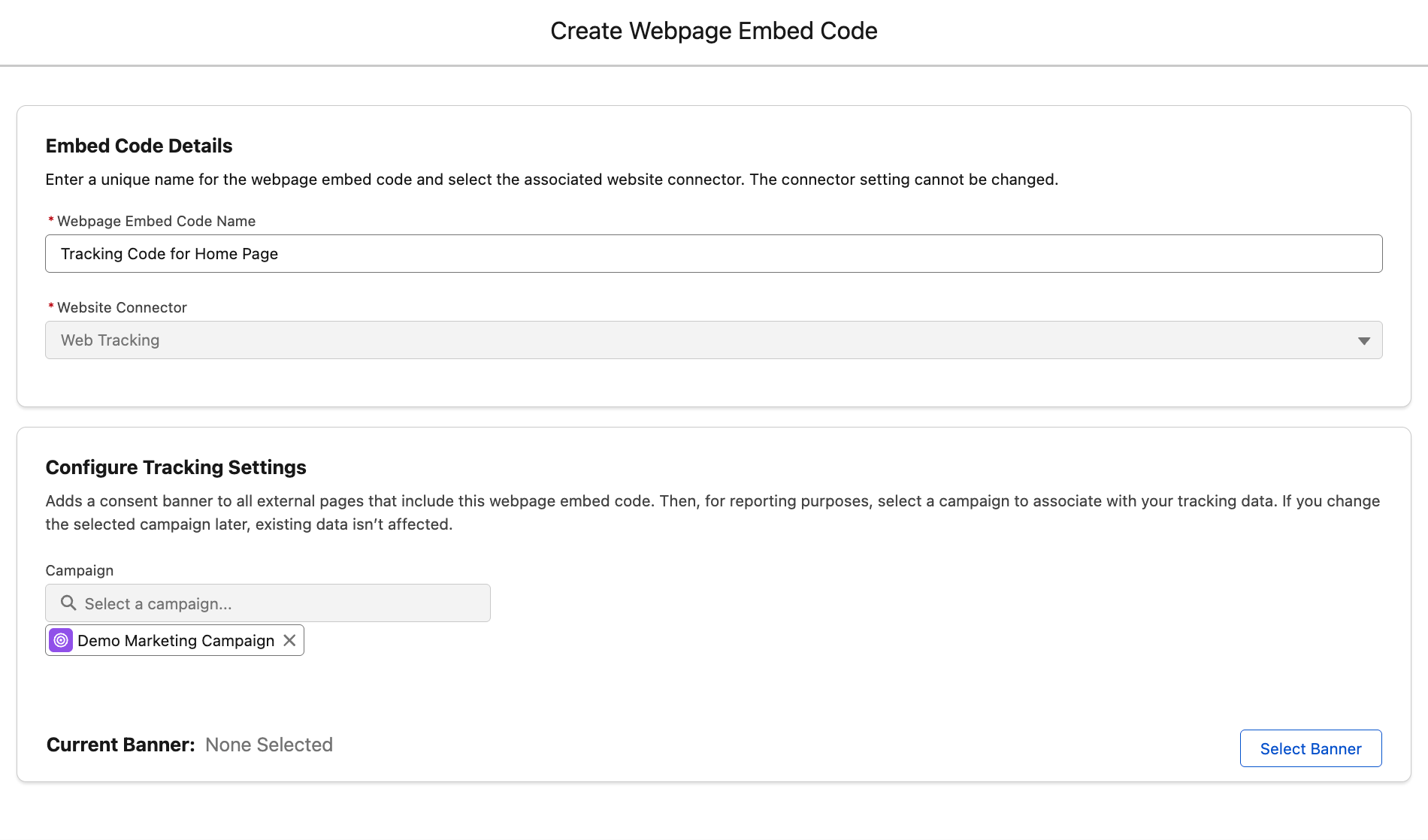
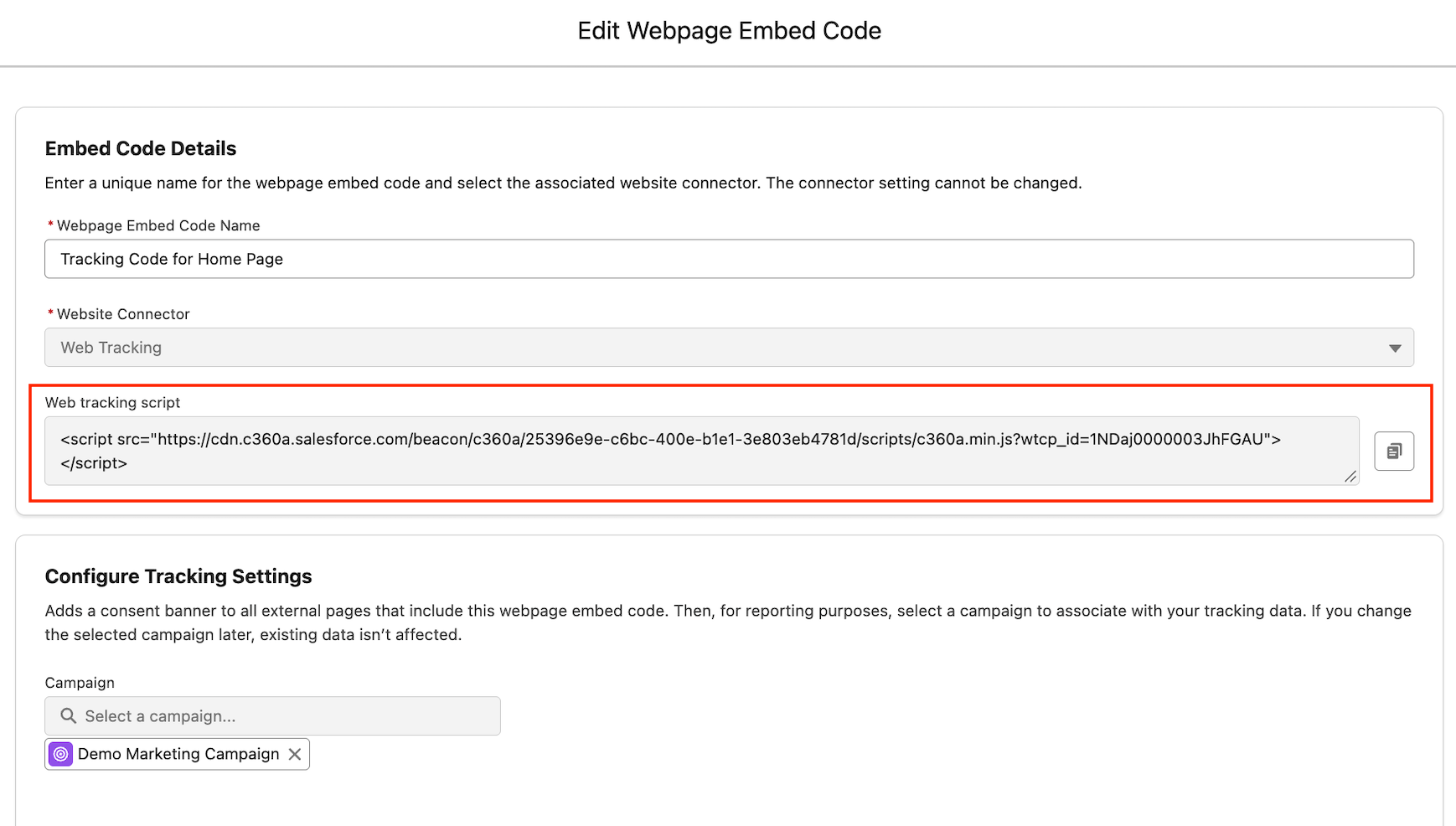
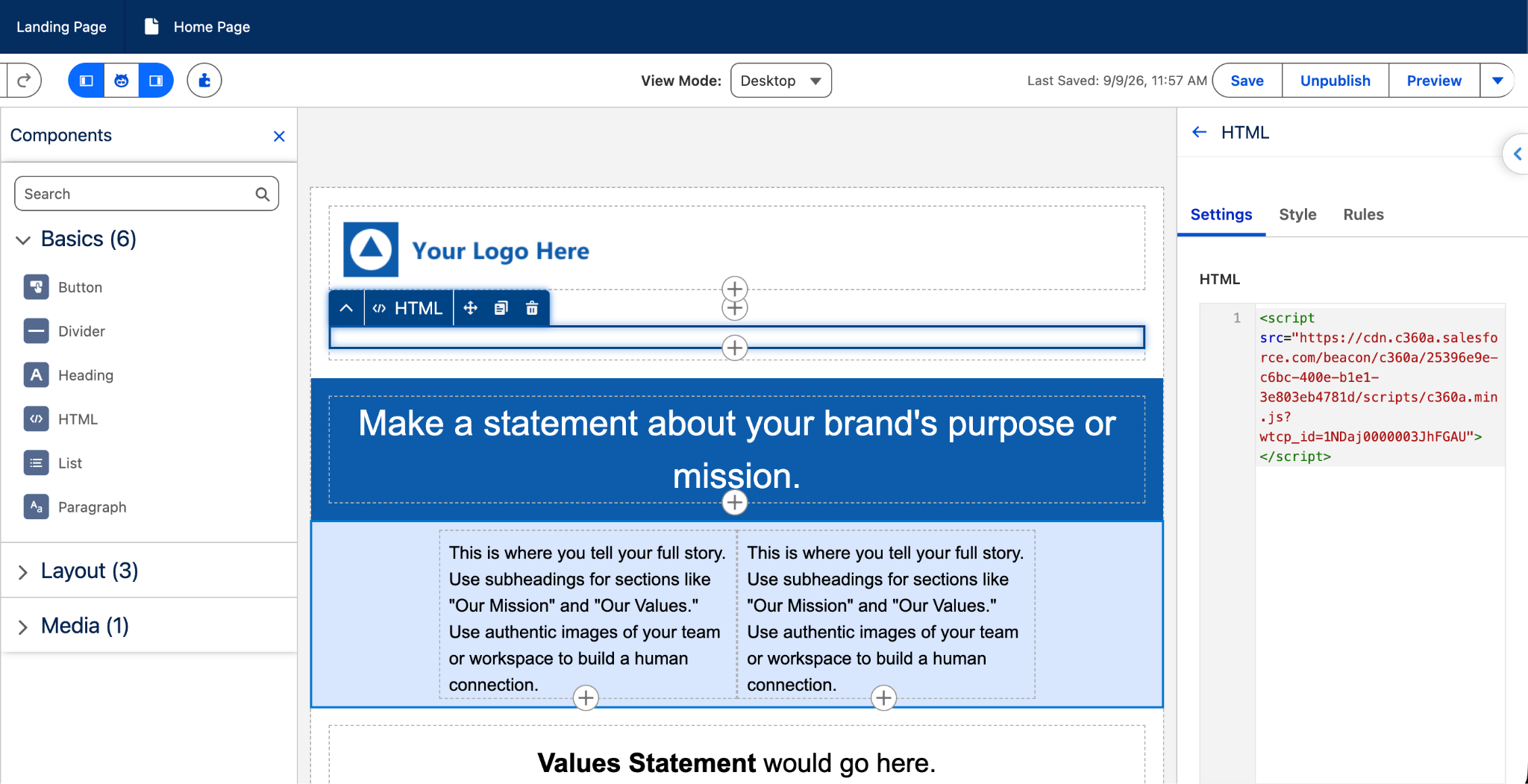
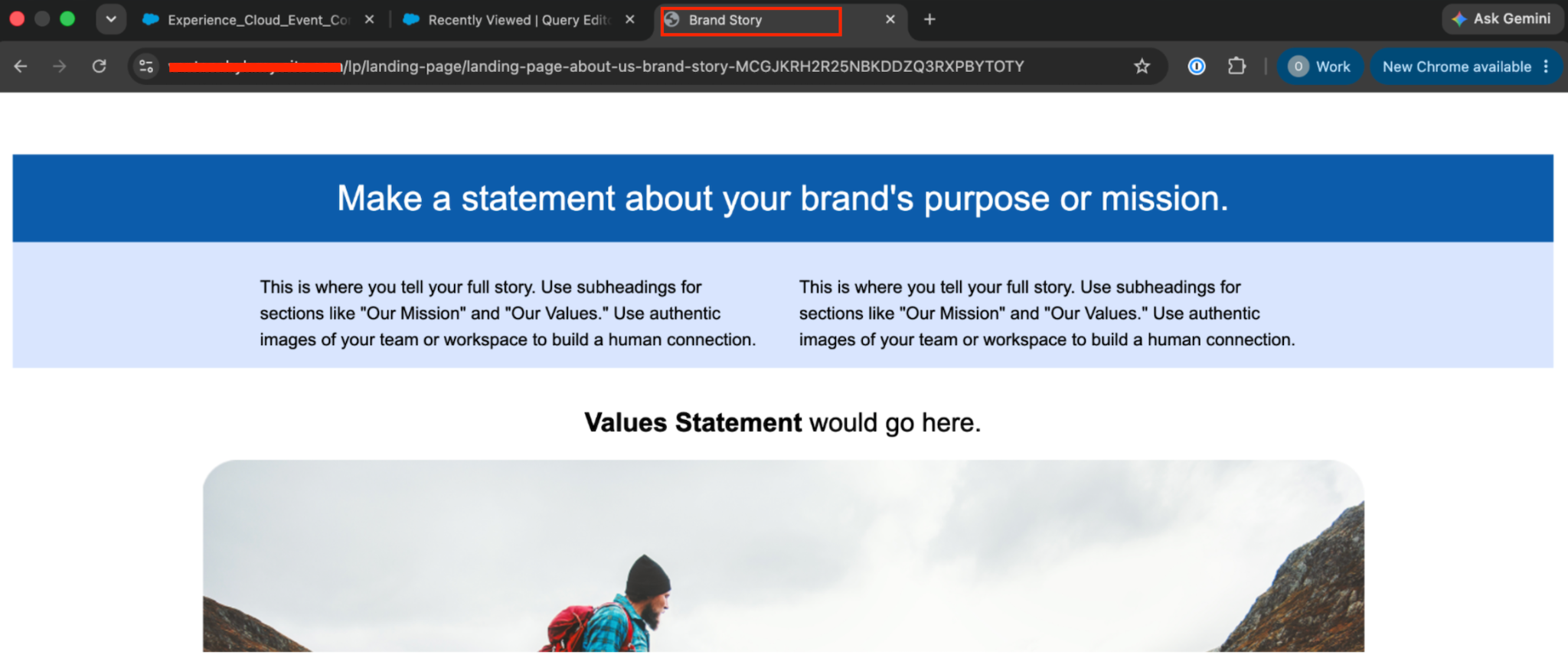
In Salesforce Setup, create a Website Connector, generate its embed code, and add it to your website. Start with a test page and check that the expected activity reaches Data 360 before adding the code across the site.
If your MC Next tracking setup was created before Winter ’26, follow Salesforce’s instructions to update it.
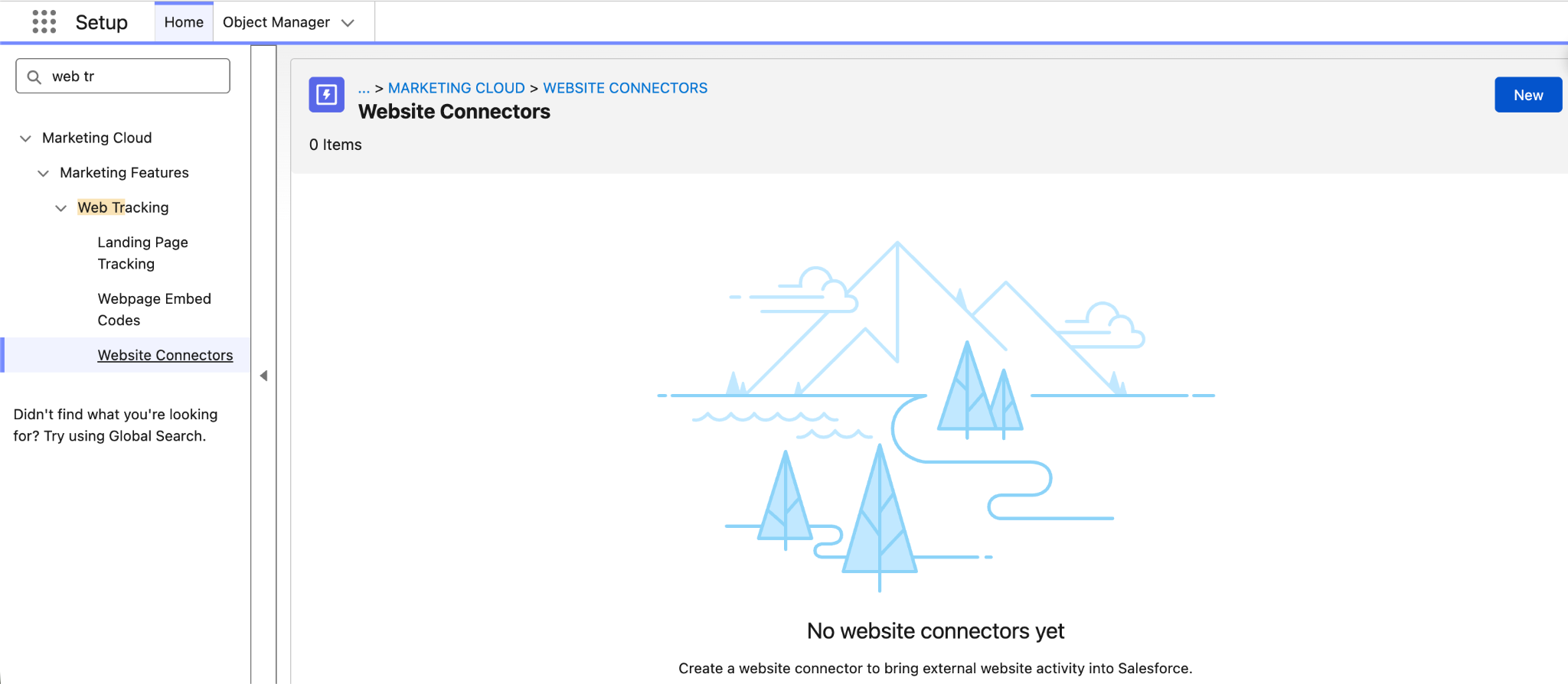
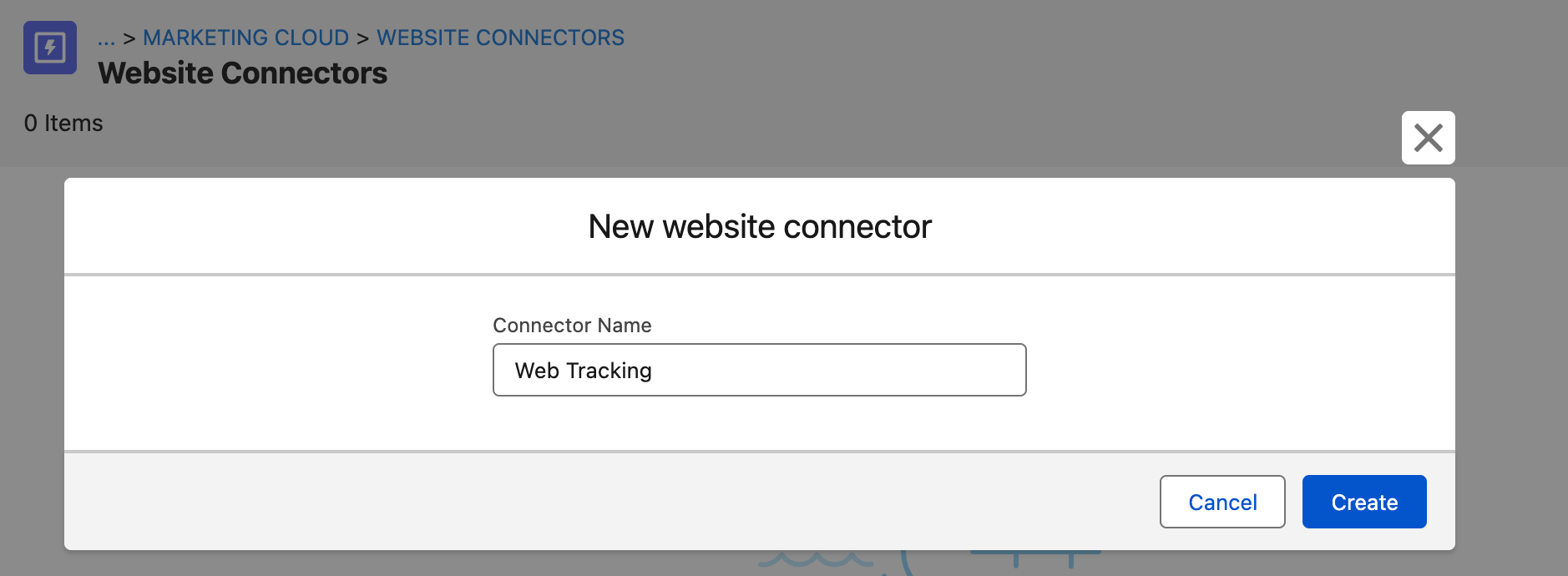


The linked walkthrough covers tracking without a Salesforce consent banner. If your website already collects tracking consent through another tool, connect it to the Salesforce Interactions SDK.
Pass the visitor’s consent choice during initialization and use updateConsents() when it changes. Don’t hard-code opt-in for every visitor. The SDK must receive the visitor’s actual consent choice.
Why Migrate from Pardot to Marketing Cloud Next
Pardot has helped marketing teams automate campaigns and generate leads. But customer expectations are rising. They want relevant messages and quick responses. Plus, connecting marketing with sales and service is a key prerequisite for creating high-quality experiences.
Why move from Pardot to Marketing Cloud Next? What benefits can it bring?
1. Turn one-way campaigns into conversations
What happens when a prospect replies to your nurture email? Do they get a real answer or a no-reply inbox?
83% of marketers say customers expect two-way conversations, yet just over half of marketers can reliably reply to emails and SMS. Marketing Cloud Next helps your team respond instead of leaving prospects waiting.
2. Give marketing the full picture
How well can you personalize a campaign if you can’t see what’s happening in sales or service?
Only 58% of marketers have full access to service data, and 56% to sales data, according to the Salesforce report. Bringing this data together helps your team understand customers better and respond to them more often.
3. Personalize more without hiring
Your team is small, but customers expect more relevant content. How do you keep up?
78% of marketers need more personalized content than they can produce, while 84% still run generic campaigns. Marketing Cloud Next helps your team do more with the people you already have.
4. Make your AI investment work
AI needs good data to give useful answers. What happens when customer information is scattered across different systems?
81% of marketers would trust AI to respond to customers, but disconnected or irrelevant data holds them back. Teams with unified data are 60% more likely to use AI agents. Marketing Cloud Next helps give AI the customer context it needs.
5. Run fewer tools
How many tools does your team need to run a campaign and follow up with a lead?
Marketing Cloud Next runs on the Salesforce platform, so marketing actions can trigger work in sales and service.
For example, Indeed describes using Flow to open a customer case or create a lead for a sales rep. The company also reports consolidating its marketing technology stack by 40% after implementing Marketing Cloud Next.
Final Words
Moving from Pardot to Marketing Cloud Next doesn’t mean starting from scratch. But you need a plan. Your domains, consent settings, segments, and active campaigns all need to work in the new setup without disrupting your marketing.
And Noltic can help. As a Salesforce Summit Partner, High Tech Expert Partner, and ISV Partner, we bring both marketing and engineering experience to your migration. We can help you set up Flows, connect Data 360, and integrate external forms.
We work with B2B teams in Europe and the USA, helping them move from the first audit to the pilot campaign and full rollout.
Ready to move from Pardot to Marketing Cloud Next? Book a free consultation with our Salesforce experts.
FAQs
What is Marketing Cloud Next?
Marketing Cloud Next is Salesforce’s AI-powered marketing platform. It connects customer data, email, SMS, WhatsApp, and AI on the Salesforce Platform.
Is Pardot being discontinued?
No. Salesforce has no announced plans to discontinue Marketing Cloud Account Engagement. You don’t have to migrate to Marketing Cloud Next.
What is Pardot called now?
Pardot is now called Marketing Cloud Account Engagement. Salesforce changed the name in April 2022, but many people still call it Pardot.
What is the difference between Pardot and Marketing Cloud Next?
Pardot focuses on B2B marketing automation, email, and lead nurturing. Marketing Cloud Next adds unified customer data, more messaging channels, and AI agents.
Can Pardot and Marketing Cloud Next run at the same time?
Yes. You can keep existing Pardot campaigns running while you introduce Marketing Cloud Next. This lets you move campaigns in stages.
How long does a Pardot to Marketing Cloud Next migration take?
It depends on your setup. The number of campaigns, forms, domains, and consent rules all affect the timeline. Start with one pilot campaign, then move the rest in batches.


%20(2).png)
Salesforce Marketing Cloud A/B Testing: Two Ways to Do It
together