
We’ve all been in this situation, where you order a product online and realize it’s not what you expect and you need to return it immediately. With marketplaces like Amazon, the process often takes just a few clicks. Customers can start a return from their account, print a label, or scan a QR code at a drop-off point, and send the item back without speaking to support. The process is simple, fast, and predictable. Many customers keep using Amazon not only because of the products available but also because the buying and support experience is so easy.
Customer expectations across other industries are moving in the same direction. According to the Salesforce State of Service report, 88% of customers say the experience a company provides is as important as its products or services. When support processes are slow or fragmented, customer satisfaction drops quickly.
Platforms like Salesforce Service Cloud (now Agentforce Service) help address these challenges by centralizing customer data, automating case management, and supporting communication across email, chat, phone, and social channels.
In the sections below, we explore 11 Salesforce Service Cloud features that help service teams respond faster, manage cases efficiently, and deliver better customer experiences. Before looking at these capabilities, it is useful to start with a short Salesforce Service Cloud overview and understand how the platform supports modern service operations.
What is Salesforce Service Cloud?
Salesforce Service Cloud is a customer service platform built on the Salesforce CRM that helps companies manage and resolve customer requests across multiple channels. Support teams can handle inquiries from email, phone, chat, messaging apps, and social media in one unified system, while tracking every interaction in a single customer record. The platform centralizes case management, customer history, and support workflows so agents can resolve issues faster and provide consistent service.
Modern versions of Service Cloud Salesforce go beyond traditional ticketing systems. The platform combines customer data, automation, knowledge management, and analytics to help companies deliver personalized service at scale. Agents work from a single console where they can view the full customer profile, access knowledge articles, collaborate with colleagues, and track the entire lifecycle of each case. Automation tools can create cases from incoming messages, assign them to the right agents, and prioritize requests based on urgency or service level agreements.
In 2026, Service Cloud in Salesforce increasingly rely on AI and automation as part of Salesforce’s broader Agentforce platform strategy. AI assistants can suggest responses, summarize customer conversations, and automate routine service tasks while human agents focus on complex issues. By combining CRM data, automation, and AI, Salesforce Service Cloud helps organizations provide faster support, reduce operational costs, and maintain consistent customer experiences across every service channel.
Key Salesforce Service Cloud features for your business
As a Salesforce Summit Partner, our team works with Service Cloud features of Salesforce every day across customer service implementations, which gives us practical insight into which capabilities bring the most value to support teams and service operations. Here are our top 11:
1. Case Management
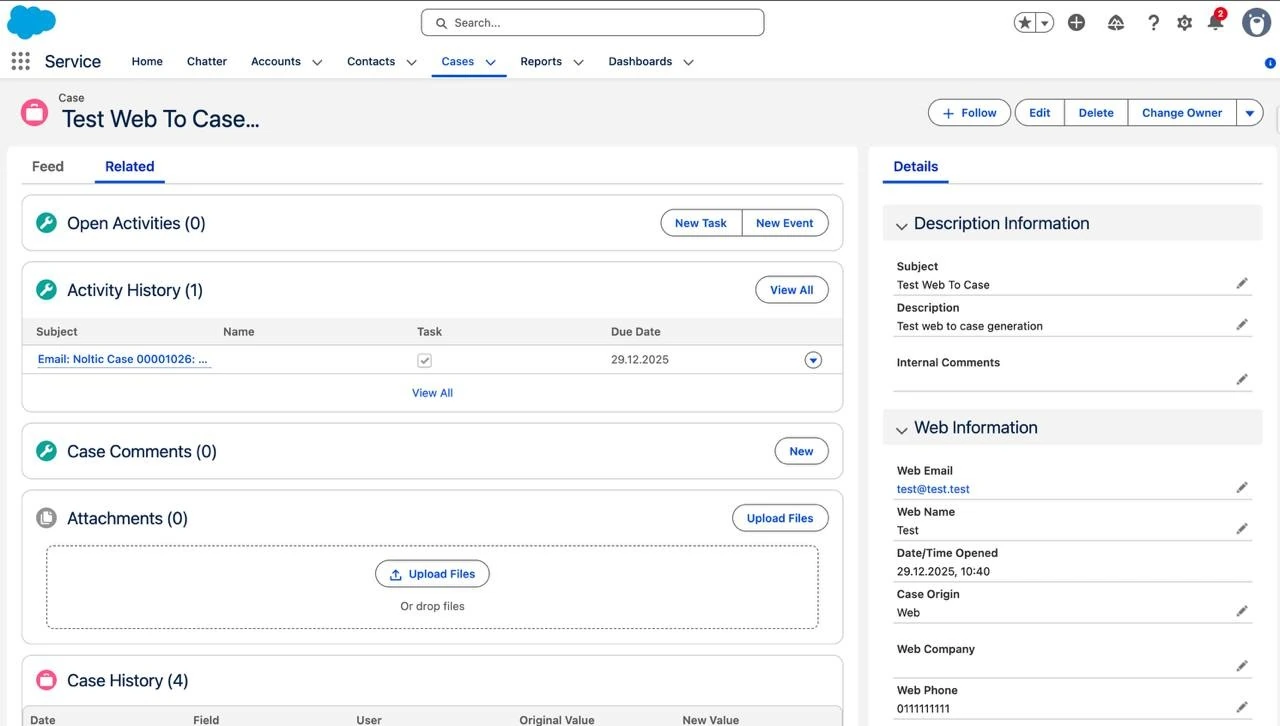
Service Cloud Case Management is the core functionality that tracks customer issues through their entire lifecycle. It ensures that every request is categorized, prioritized, and tracked, preventing inquiries from falling through the cracks and providing a transparent audit trail for both agents and managers.
2. Omnichannel Routing
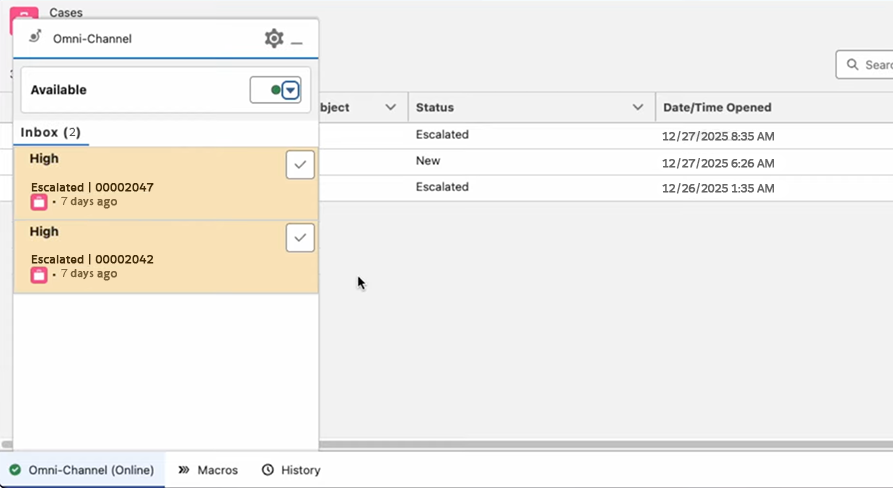
Salesforce Service Cloud provides an intelligent distribution engine that assigns work to the most appropriate agent based on their specific skills, current workload, and availability, hence high-priority cases are addressed immediately by the person best equipped to handle them.
3. Knowledge Base
A centralized knowledge base of Salesforce Service Cloud stores support articles, guides, and common solutions in one place. Agents can quickly search this library while working on cases, which helps them provide faster and more accurate answers to customers.
When integrated to a self-service portal, the same articles are available to customers. Many users can find answers on their own before contacting support, which reduces the number of cases that agents need to handle.
4. Email-to-Case & Web-to-Case
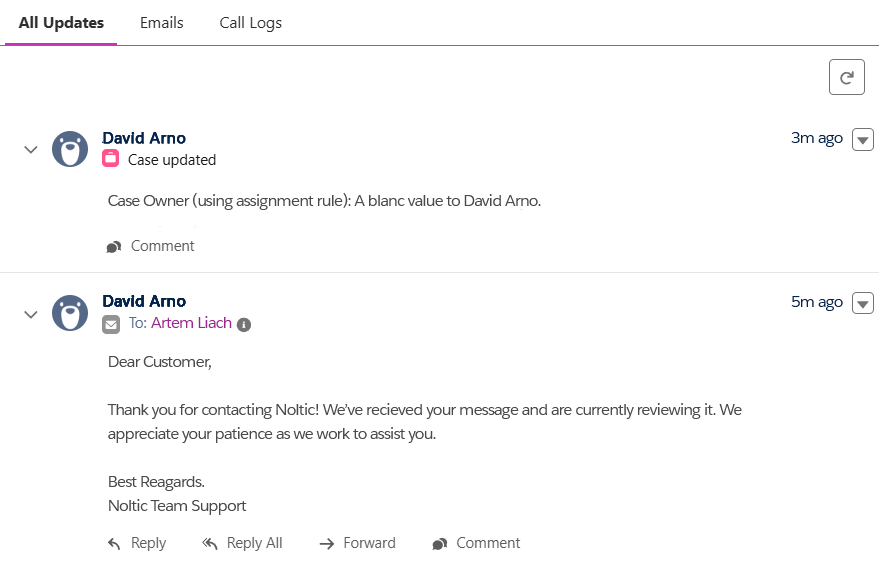
Email-to-Case and Web-to-Case help support teams capture customer requests automatically. When a customer sends an email to a support address or submits a form on your website, Salesforce creates a new case in the system without any manual input.
As a result, every inquiry is recorded right away and routed to the support team. Agents receive structured information about the issue, which helps them respond faster and track requests in one place instead of searching through email inboxes or spreadsheets.
5. Service Console
The Service Console is the main workspace where support agents manage their daily tasks. It uses a tab-based layout that allows agents to open multiple records at the same time and move between them quickly.
Customer history, case details, and related information appear in one place, so agents do not need to jump between different systems. Access to the full context helps teams respond faster and handle several issues during the same session.
6. Macros and Quick Actions
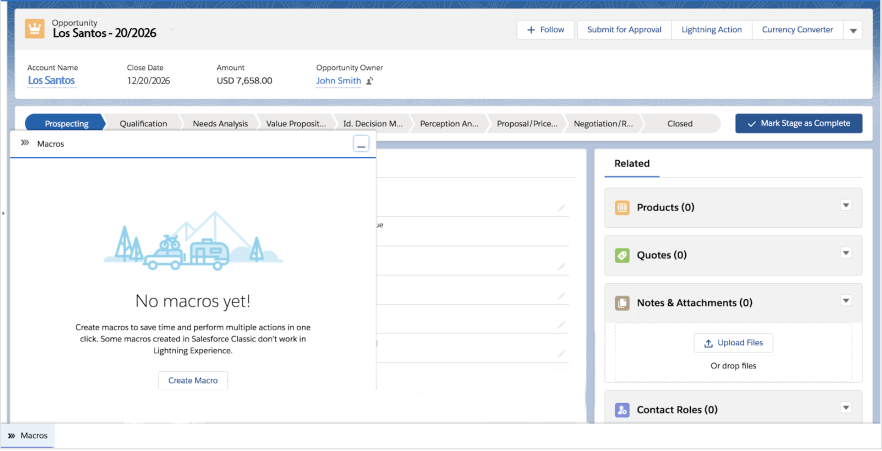
Macros and Quick Actions in Salesforce Service Cloud help agents handle routine tasks faster. With a single click, an agent can complete several steps at once, for example updating a case status, adding notes, and sending a standard follow-up email.
Automation of these common actions reduces manual work and lowers the chance of mistakes. Support teams can spend less time on repetitive tasks and more time resolving complex customer issues.
7. Automation (Flows & Assignment Rules)
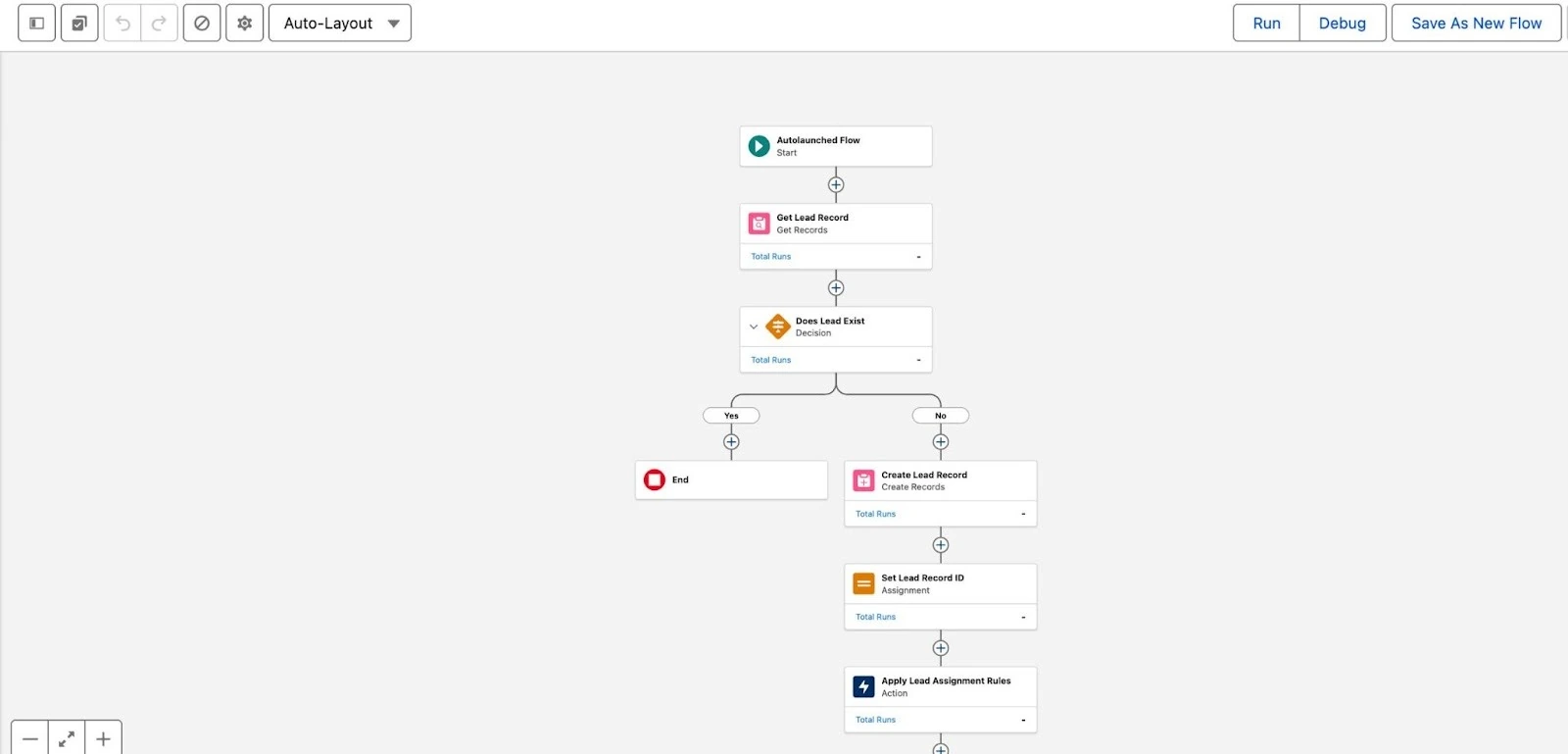
Salesforce automation tools help support teams handle requests in a consistent way. With Flow Builder, teams can create guided processes that lead agents through the right steps when working on a case. Flows can also automate actions such as sending notifications, updating records, or collecting additional information from customers.
Assignment Rules work alongside these flows by directing new cases to the right queues or agents based on predefined conditions. As a result, each request follows the same business logic and reaches the team responsible for resolving it.
8. Chat and Messaging
Service Cloud in Salesforce allows support teams to communicate with customers through several messaging channels from one interface. These include Web Chat, WhatsApp, SMS, and Facebook Messenger. Agents can respond to conversations in real time without switching between different tools.
Centralized messaging helps teams keep the full history of customer interactions in one place. Agents see previous conversations, case details, and customer data while responding, which helps them provide faster and more consistent support.
9. Salesforce Service Cloud Voice
Service Cloud Voice in Salesforce connects phone support directly with your CRM. Calls are handled inside the same workspace where agents manage cases and customer records.
During a call, agents can view customer details, open cases, and update information without leaving the console. Managers can also track call performance, monitor queues, and review service metrics to understand how the support team handles phone requests.
10. Service Analytics
Service Analytics, powered by CRM Analytics, helps managers understand how their support organization performs. Prebuilt dashboards show key service metrics such as case resolution time, agent workload, and customer satisfaction.
Leaders can monitor real-time data to identify delays in the support process, understand trends in customer issues, and plan staffing more accurately. Access to clear performance data also helps teams improve service quality and track how support operations change over time.
11. Einstein for Service (AI)
Einstein for Service adds artificial intelligence to customer support processes. Tools such as Einstein Case Classification automatically analyze incoming cases and assign the right category, priority, or queue based on past data.
Other features, such as Einstein Article Recommendations, suggest relevant knowledge base articles while agents work on a case. Einstein Bots can also answer common questions through chat before an agent becomes involved. AI assistance helps teams respond faster and handle a larger number of requests without increasing workload.
Turn Salesforce Service Cloud features into real business results
Implementing Salesforce Service Cloud is not only about enabling features. Real value appears when the platform is configured around your support processes, integrated with existing systems, and adopted by service teams.
Our company provides Salesforce Service Cloud services that help organizations design and implement support platforms aligned with real operational goals. Our Salesforce consultants and architects work with companies to map customer support workflows, configure automation, and connect Service Cloud with other business systems such as ERP platforms, communication tools, and data platforms.
With more than 160 delivered Salesforce projects, 90+ certified specialists, and 400+ Salesforce certifications, our team supports organizations across industries including logistics, financial services, manufacturing, healthcare, and SaaS. We help companies implement Service Cloud Salesforce, improve case management processes, introduce AI capabilities, and build scalable service operations.
If your company is exploring how Salesforce Service Cloud can improve customer support efficiency, reduce response times, and provide better customer experiences, our team can help you evaluate the right implementation approach.
FAQ about Salesforce Service Cloud
What is Service Cloud in Salesforce?
Service Cloud in Salesforce is a customer service platform built on the Salesforce CRM. It helps companies manage customer requests from multiple channels such as email, chat, phone, messaging apps, and social media in one system. Support teams can track cases, access customer history, automate service workflows, and collaborate with colleagues inside a unified workspace. The platform also includes knowledge management, analytics, and AI capabilities that help teams respond faster and maintain consistent service quality.
What are Salesforce Service Cloud solutions used for?
Salesforce Service Cloud solutions help organizations manage customer support operations more efficiently. Companies use the platform to centralize case management, automate support processes, enable self-service portals, and communicate with customers across multiple channels. Service Cloud also provides tools for workforce management, analytics, and AI-powered recommendations, which help support teams resolve issues faster and improve customer satisfaction.
When should a company consider Salesforce Service Cloud consulting?
Salesforce Service Cloud consulting is useful when a company wants to implement the platform, optimize an existing setup, or redesign support processes. Consultants help analyze current service workflows, design automation strategies, integrate Service Cloud with other systems, and configure features such as case management, routing, and analytics. Working with experienced consultants can reduce implementation risks and ensure that the platform supports the organization’s long-term service strategy.
How long does a typical Salesforce Service Cloud implementation take?
Implementation timelines depend on the complexity of the support processes, number of integrations, and level of customization required. Smaller projects focused on basic case management and email support may take several weeks. Larger implementations that include multiple channels, automation, integrations, and AI features may take several months. Proper planning and process analysis help reduce delays and ensure the system supports real service operations.
What features make Salesforce Service Cloud different from traditional help desk systems?
Salesforce Service Cloud combines case management, automation, communication channels, analytics, and AI in one platform. Traditional help desk tools often focus only on ticket tracking. Service Cloud connects support operations with customer data from the CRM, which gives agents full context about each customer. Automation tools, AI assistants, and analytics also help organizations manage high service volumes while maintaining consistent service quality.



Agentforce for sales, service, and marketing: a full guide

Top 10 best Salesforce Service Cloud implementation partners for your business
together